
Positive recognition by Digital Academy
Every good choice counts.
Points, badges and a class journey that make good behavior visible to students, teachers and families.
DAzzle is Digital Academy’s positive behavior module. Teachers recognize good choices in two taps, and students watch them add up.
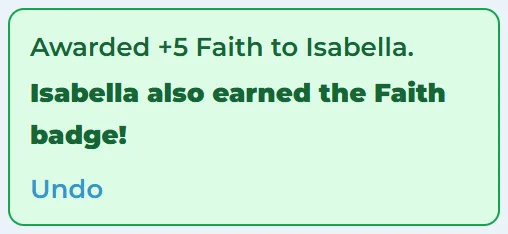
Recognition in two taps.
Pick a behavior, pick the students, award. One click rewards a whole group, and Undo is right there.
Badges that earn themselves.
A student earns a badge on reaching the number of awards you set, in the same click. Teachers can give badges by hand too.
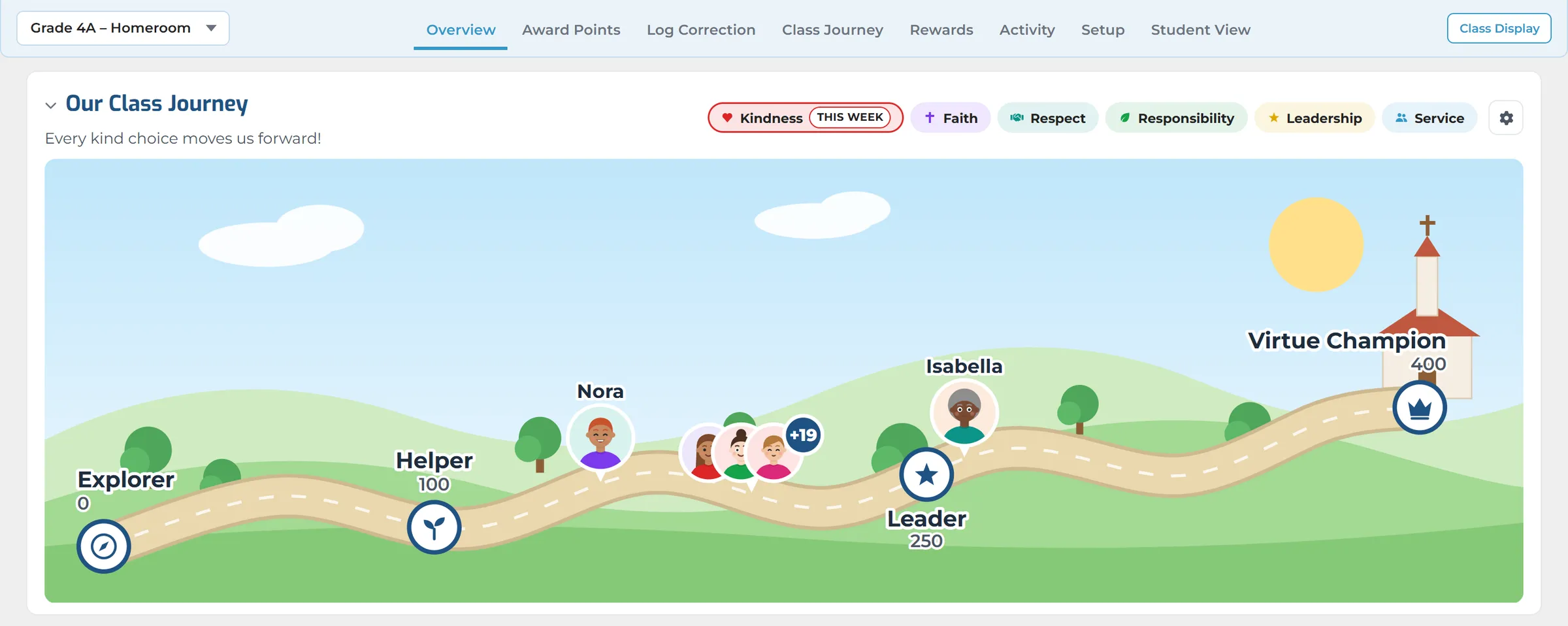
A journey the whole class can see.
Every award moves students along the class journey. Class Display puts it on the smart board with the latest awards.
Rewards worth working for.
Students spend points in the school store or on classroom rewards. Points are held until the reward is handed over.
Recognize, celebrate, reward.
Make good behavior visible and keep students motivated all year long.
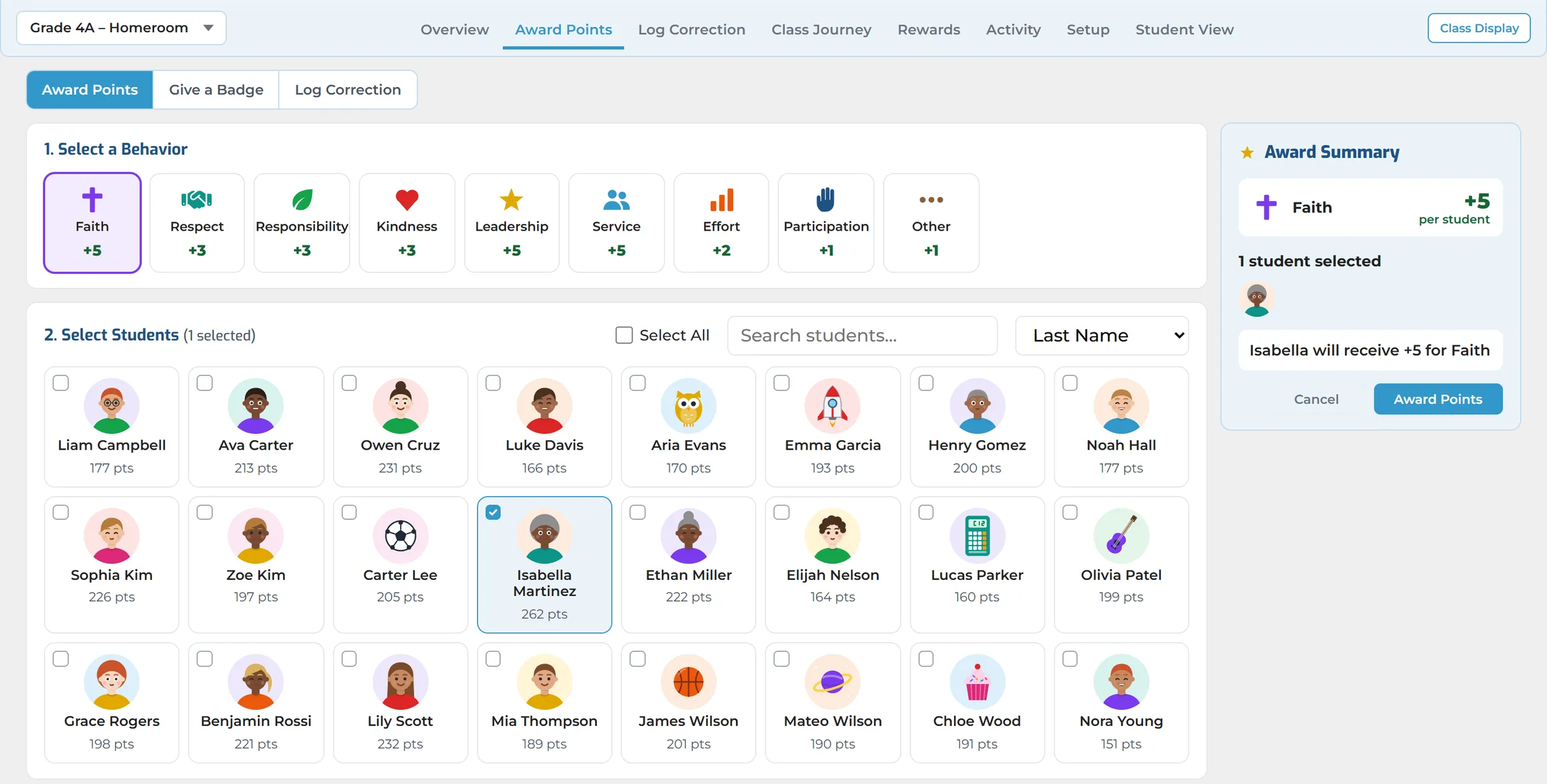
Recognize Positive Choices
Choose a behavior, select students and award in seconds. Give points, a badge or a correction from the class overview.
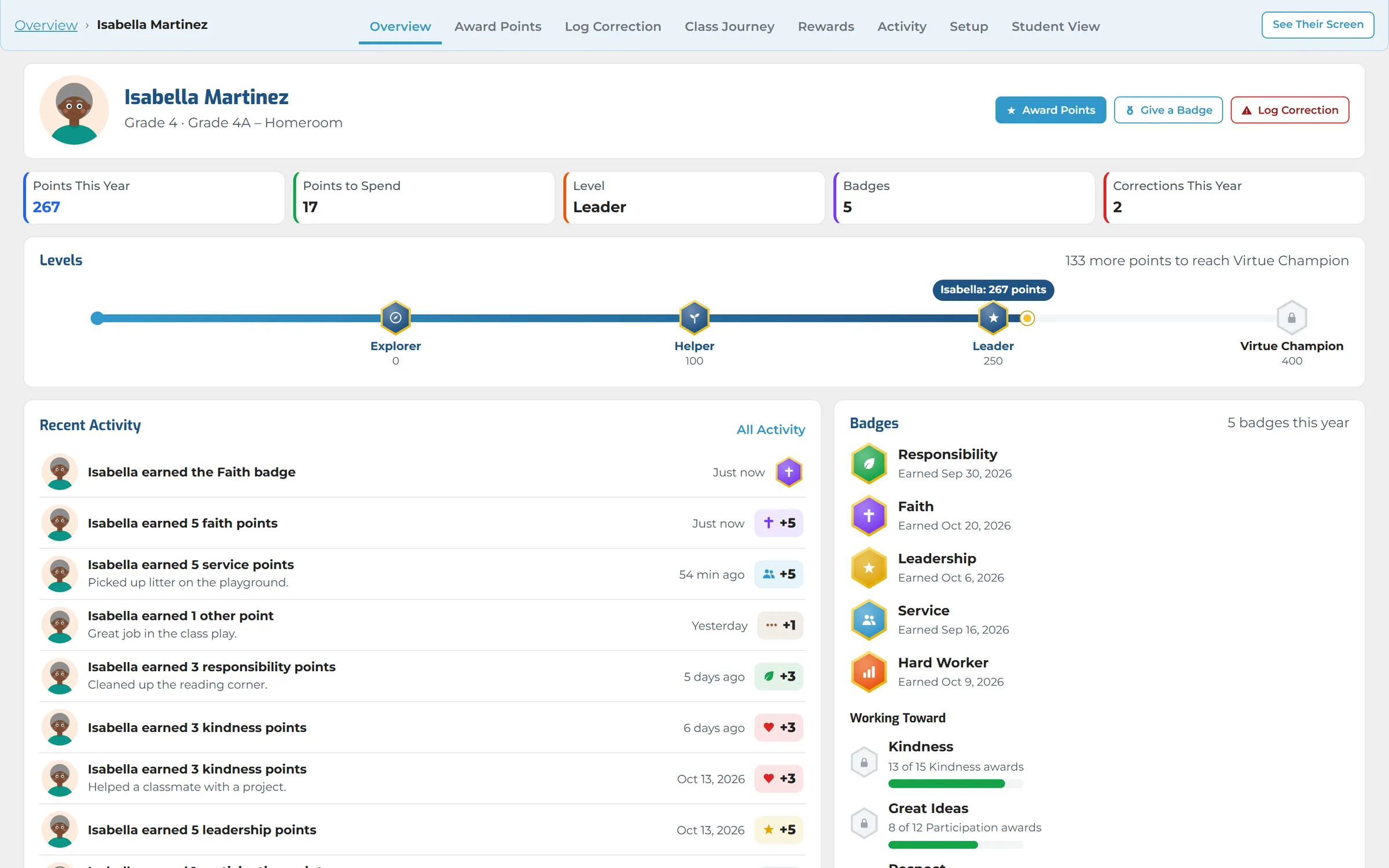
Celebrate Student Progress
Every student has a page with their points, level, badges and recent activity, and buttons to award without going back.
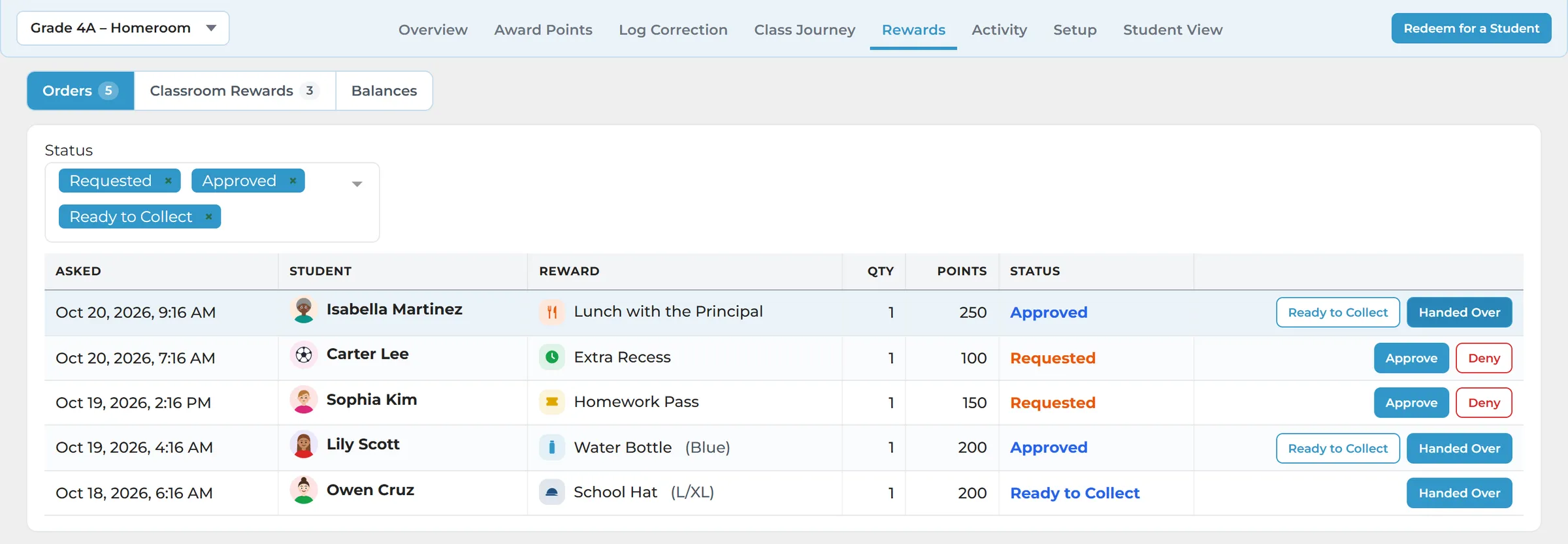
Rewards Worth Working For
Students request rewards from the school store or their teacher. Teachers approve each one, and points are held until it is handed over.
Key Capabilities
Flexible tools to recognize character, build community and support your school’s goals.
Quick Recognition
Award one student, a few or the whole class in one click, with an optional note the student sees.
Badges & Levels
Badges earned automatically after a set number of awards, or given by hand. Your milestones are the levels.
Class Journeys
Seven journey pictures, or upload your own. Students travel on their own, or the class travels together.
Class Display
The journey, live awards, class progress and the Virtue of the Week on the smart board, full screen.
Rewards Store
Items, sizes or colours, stock counts and grade limits, plus classroom rewards each teacher offers.
Corrections, Kept Apart
Minor corrections on the same page, kept apart from points and never on the class display.
Student Home Page
A DAzzle card with the newest badge, points and level. Parents see one for each child, when you allow it.
Your School, Your Name
The DAzzle name or your own, with your crest, your virtues, what each is worth, and what points are called.
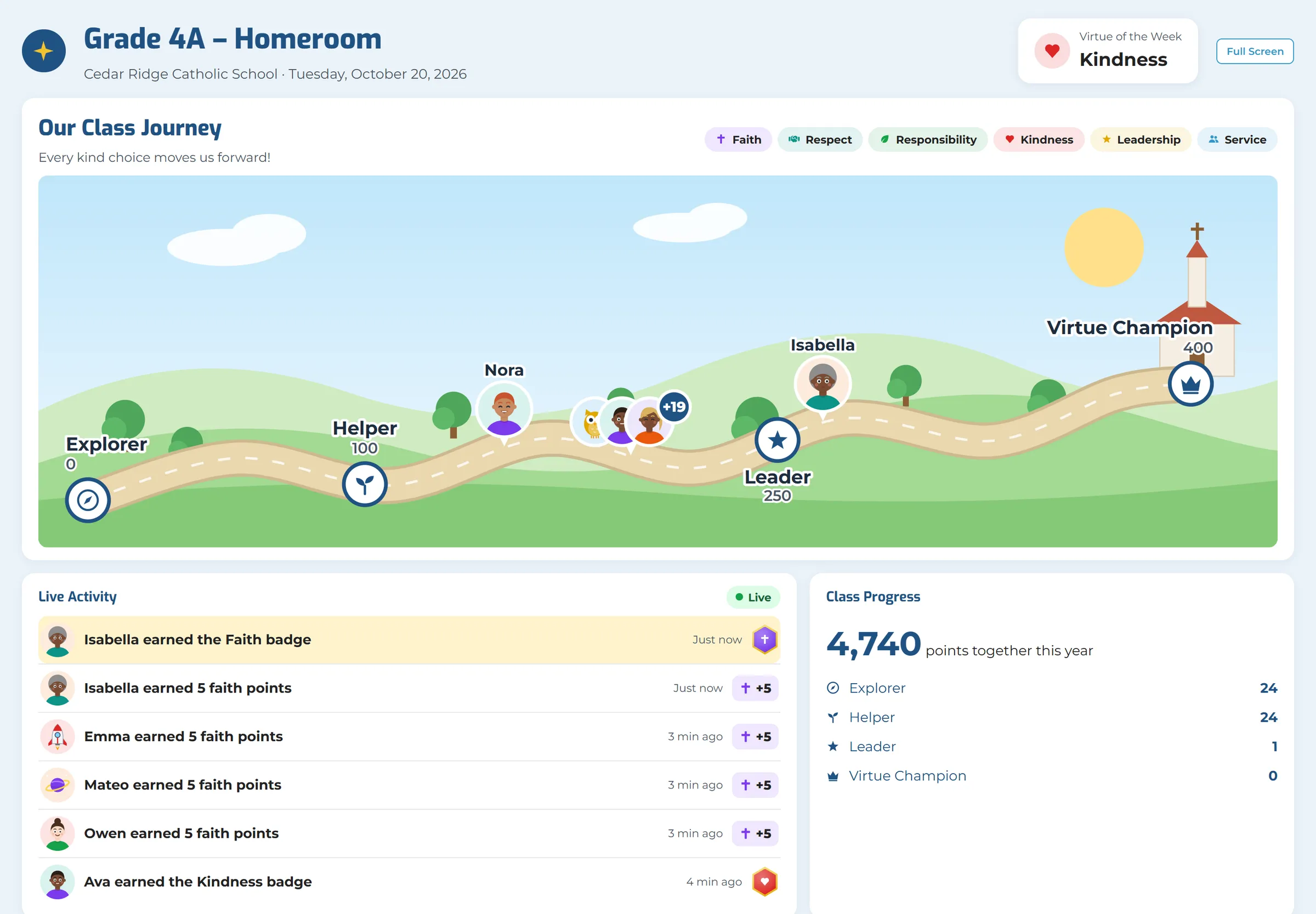
Class Display
Up on the board, as it happens.
Class Display puts the journey and the latest awards on the smart board, and a new award appears at once. It shows only the positive: corrections never appear there.
- The class journey, live awards and class progress
- The Virtue of the Week, on the Overview and the display
- A full-screen button for the classroom board
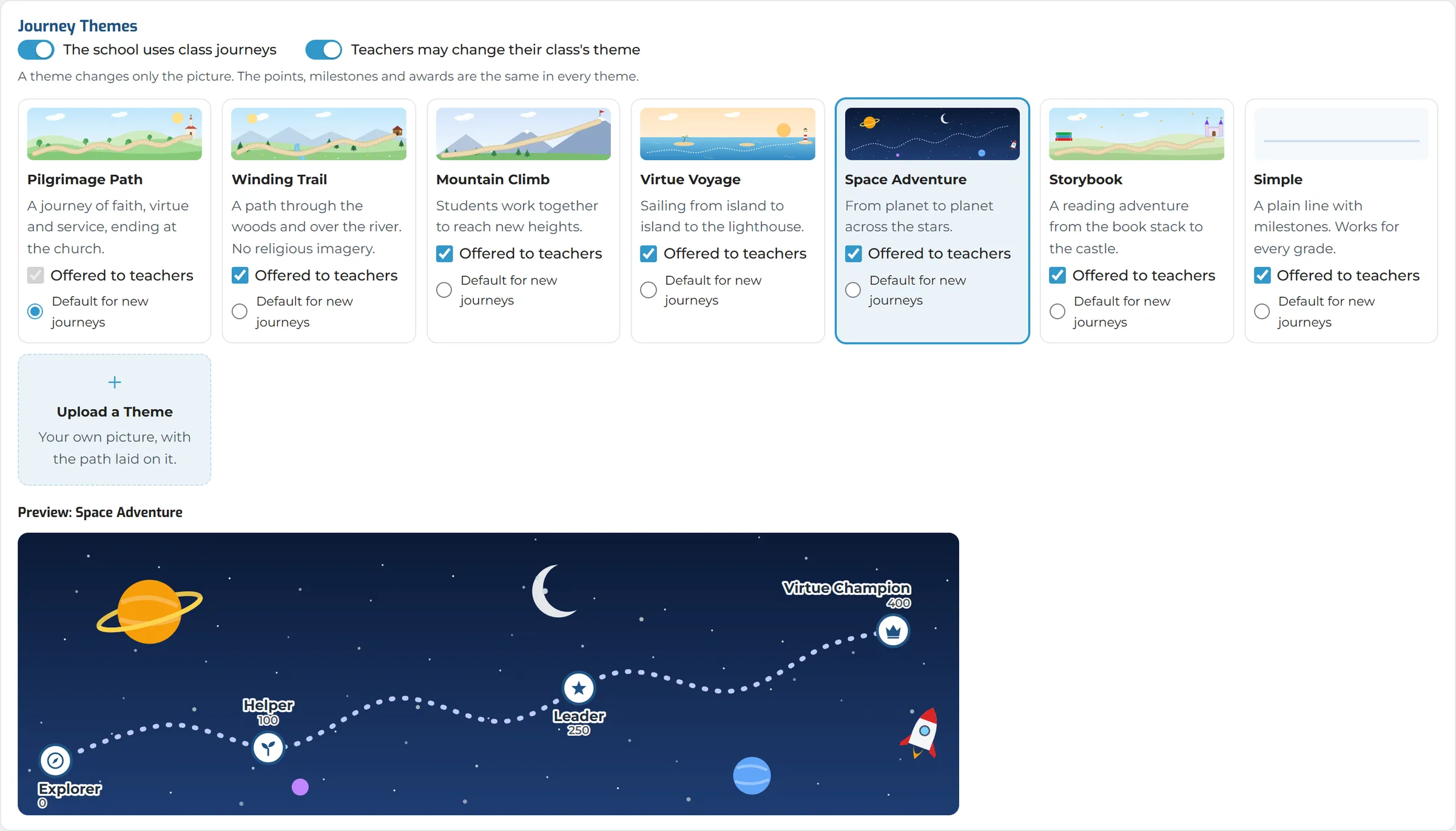
Journeys
A journey in your school’s style.
Seven journey pictures, including a pilgrimage, a winding trail, a mountain climb, a voyage and outer space. The school chooses which ones teachers may use.
- Each student travels on their own, or the whole class travels together towards a class goal
- Your own milestones, which are also the levels on a student’s home page
- Upload a picture of your own and lay the path on it
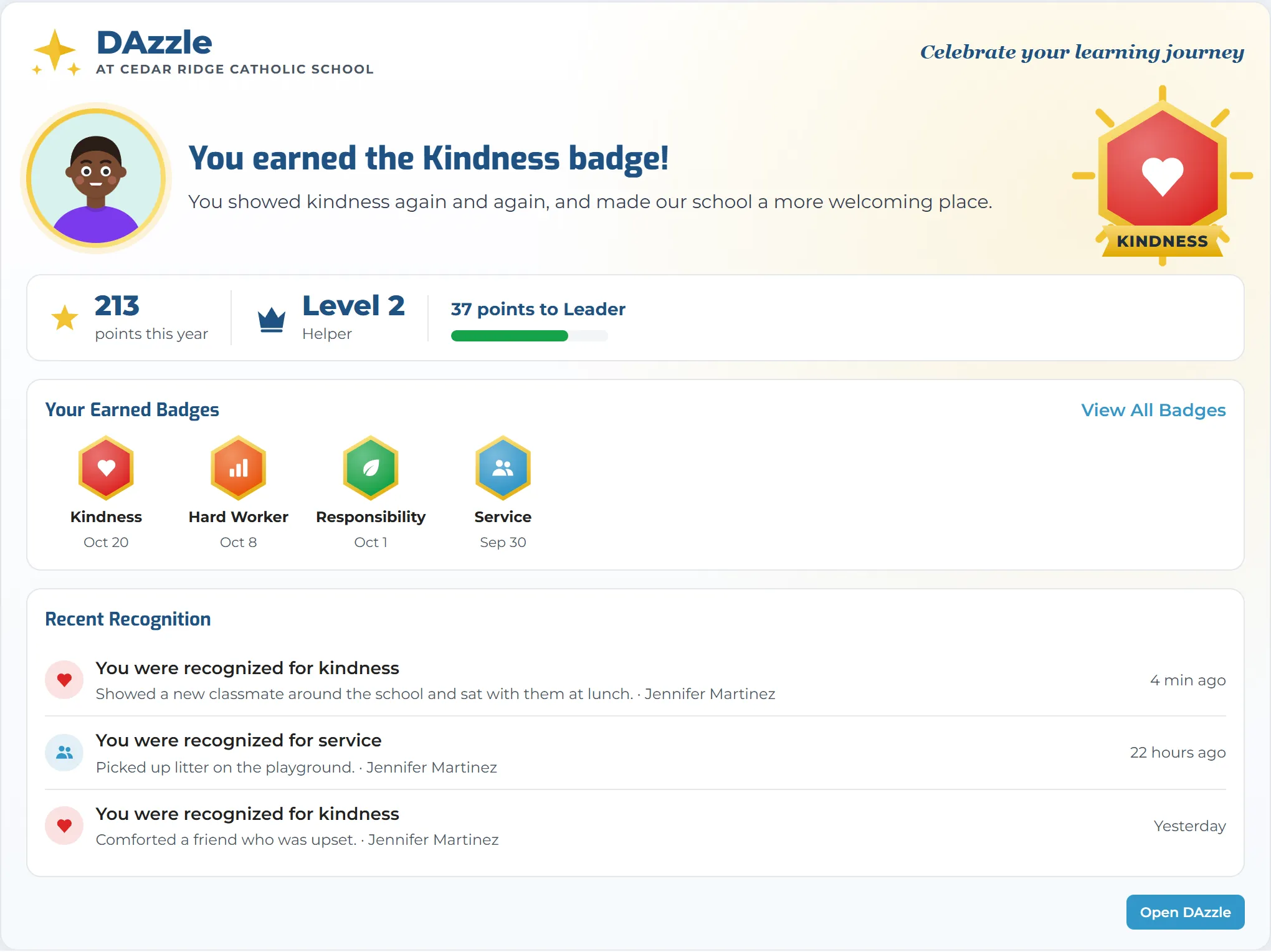
Students and families
What the student sees.
Students see their points, level and newest badge on their own home page, and parents can too when the school allows it.
- Student View shows exactly what each student sees
- Avatars, which students can change when the school allows it
- A small card for each child at the school, for parents
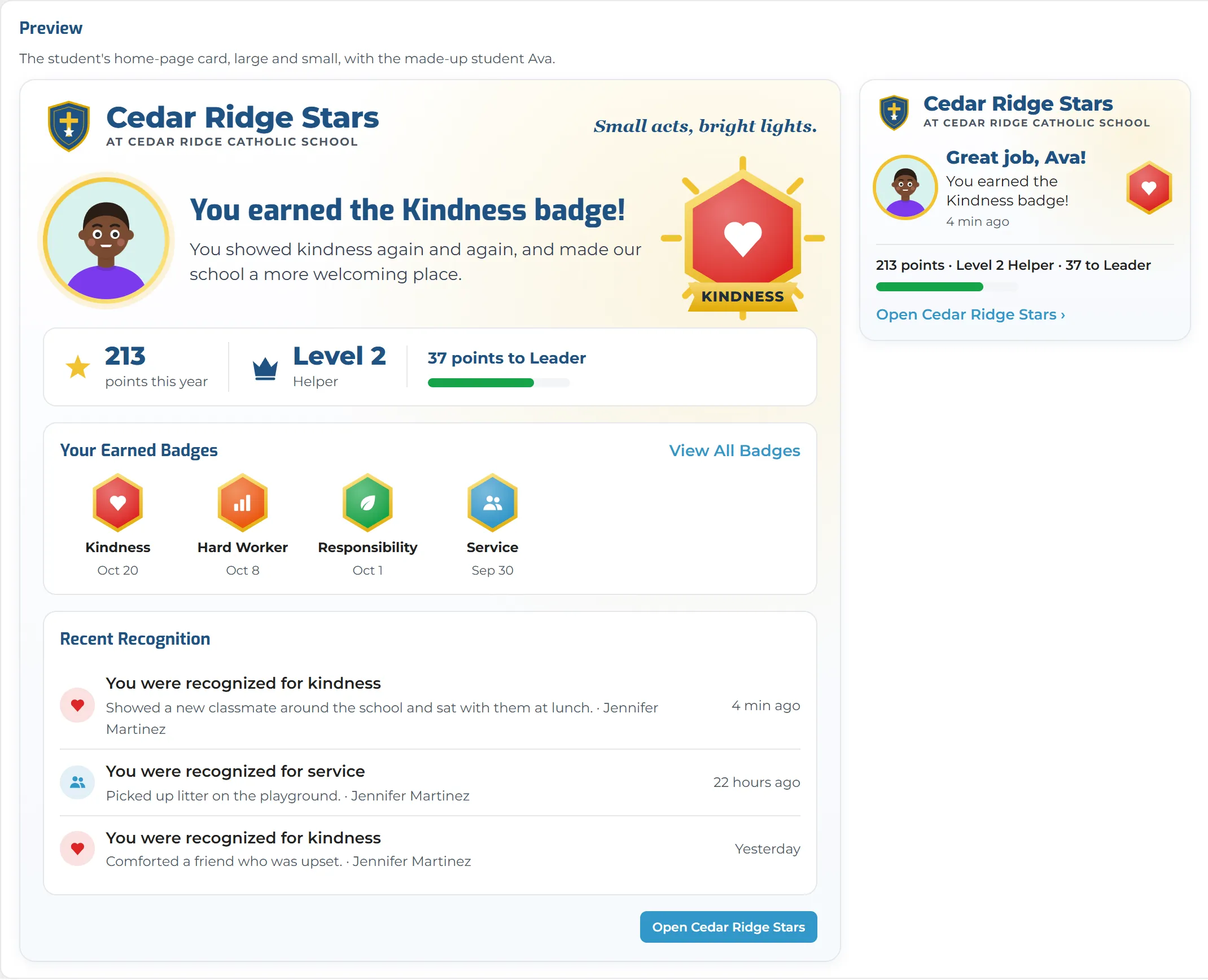
Your school, your name
DAzzle, or your school’s own brand.
Use the DAzzle name, or your own, such as “Cedar Ridge Stars” with your crest. Choose your own behaviors and virtues, what each is worth, and what points are called.
- Your program name, tagline and logo
- “Star” and “stars”, or anything you like, for points
- Turn on only what you use: points, badges, journeys, the store, classroom rewards, avatars and corrections
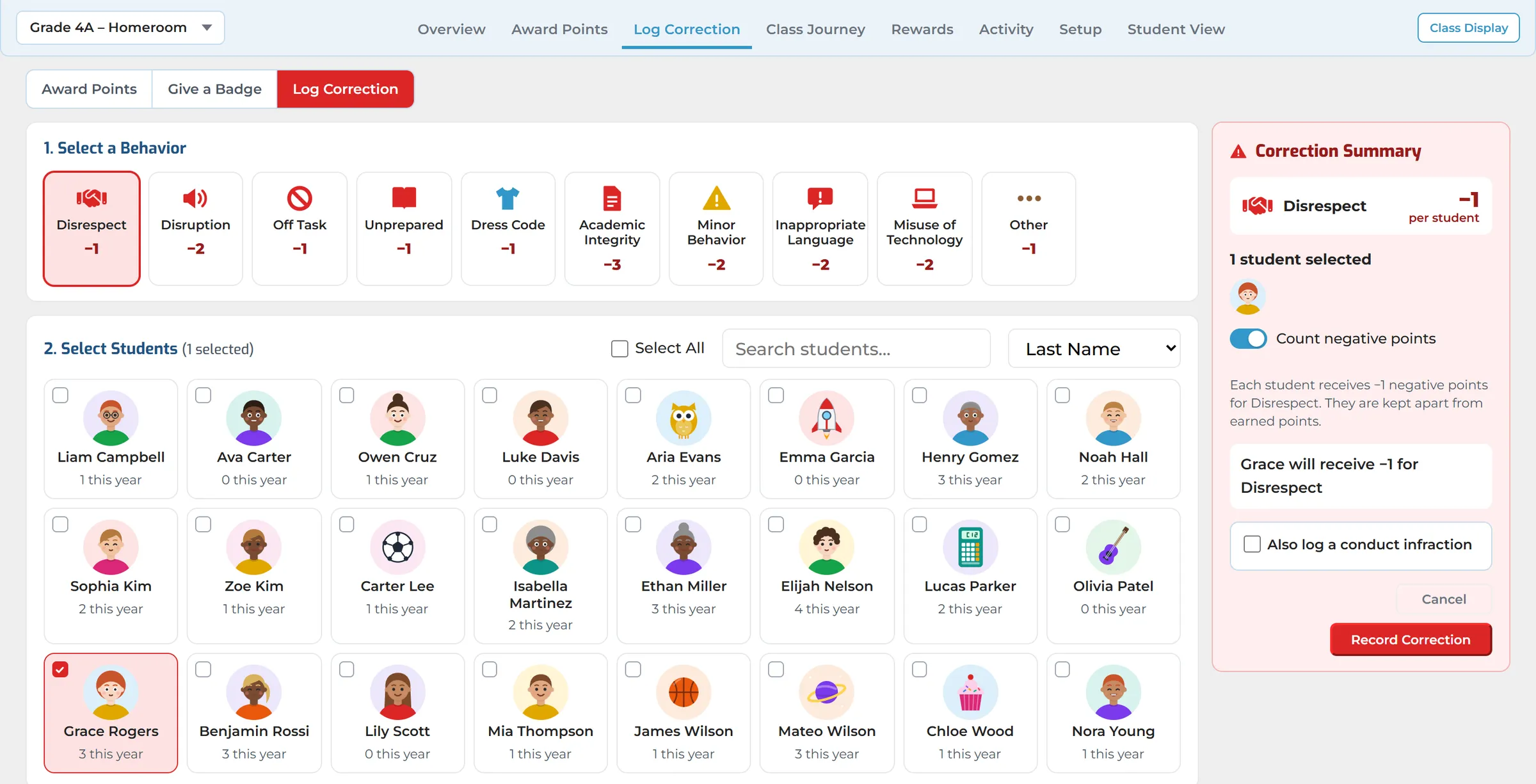
Corrections
Corrections, kept apart.
Minor corrections are logged on the same page but kept apart from points. They never appear on the class display, and families see them only if the school turns that on.
- You decide how correction points count: kept separate, taken off a net score, or tracked without points
- Resolve, reopen or escalate a correction, with its history kept
- Log a serious one in Conduct too, with one tick
Built for the whole school community.
Every good choice, seen by the people who matter.
Principals & Heads of School
- A positive culture you can see
- One system every classroom uses the same way
- Your virtues, under your own name and crest
Classroom Teachers
- Recognition in seconds, mid-lesson
- A smart-board screen that keeps the class motivated
- Classroom rewards of your own
Behavior & Support Coordinators
- Set behaviors, points and rules once
- Keep minor corrections apart from the positive record
- Turn Conduct infractions into correction buttons
Families
- See what your child was recognized for
- Badges, points and level on the home page
- When the school allows it
Works Better Together
DAzzle is part of Digital Academy, so recognition sits alongside the rest of the student’s day.
- ConductSerious corrections logged in Conduct; infractions become correction buttons
- Student & Family Home PageA DAzzle card with the newest badge, points and level
See DAzzle in Action
See how DAzzle helps your school recognize every good choice, and lets students, teachers and families see it add up.