
Parent & Family Dashboard
Everything for Every Child. On One Page.
Forms, fees, school news, teacher comments, conferences and library books, together when a parent signs in.
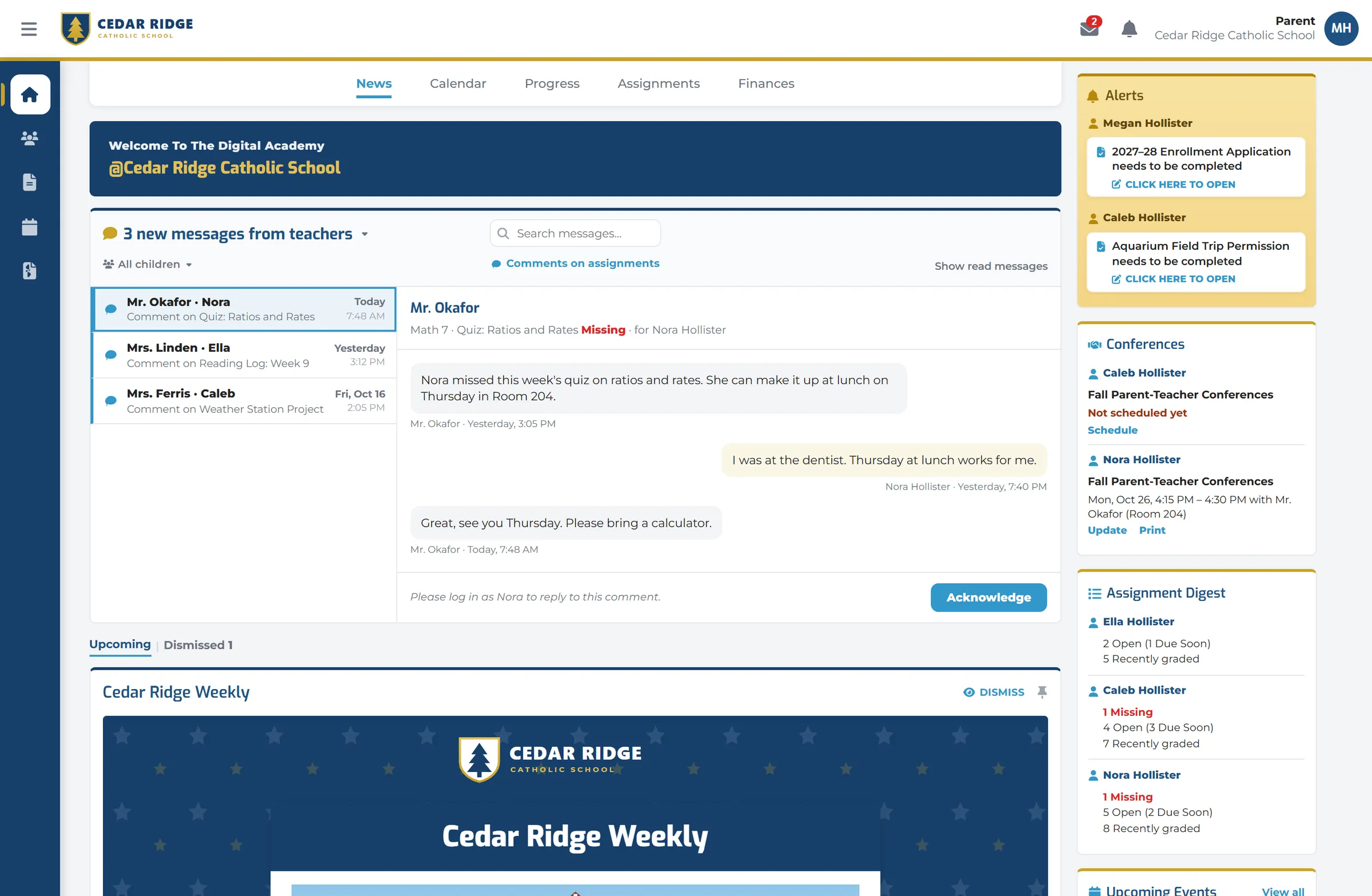
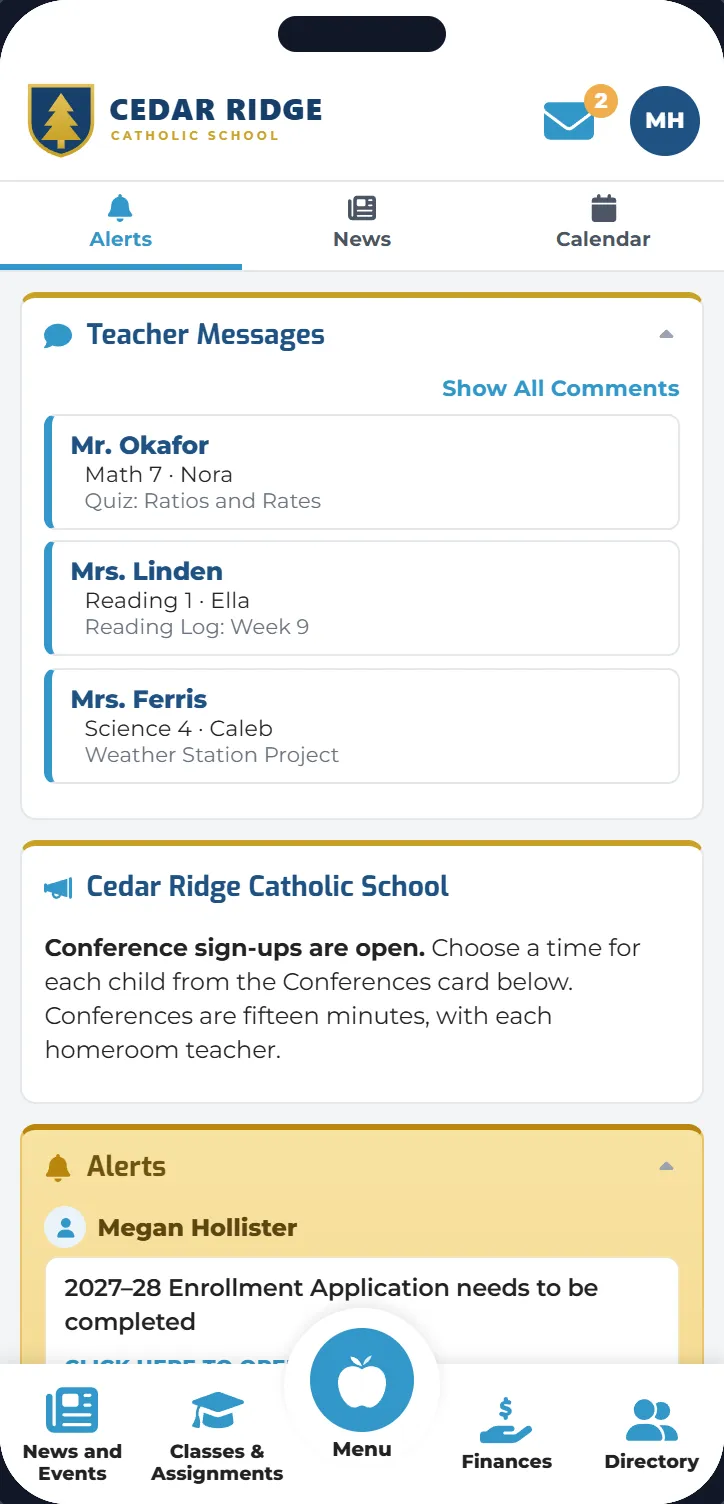
The Parent Dashboard gives each family one place to read, do, see and pay, for every child, on a computer or in the Digital Academy app.
Every child
One account, with information organized by child.
A clearer week ahead
School messages and the items that need attention in the same place.
Desktop and phone
The dashboard on a computer, and the Digital Academy app on a phone.
Everything families need, all in one place.
Parents can see information organized by child, with school messages and the items that need attention together.
Read
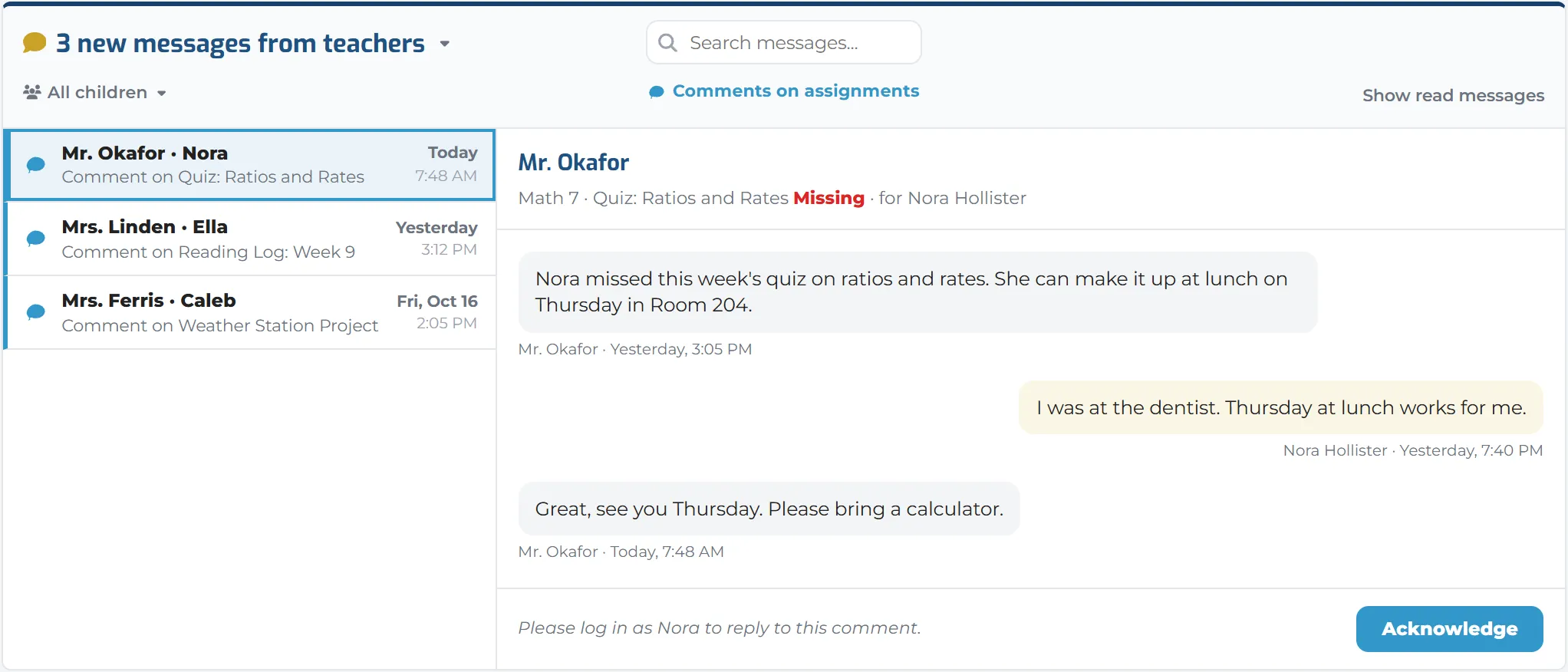
School newsletters, class news, announcements and teacher comments come together in the family’s feed.
Do
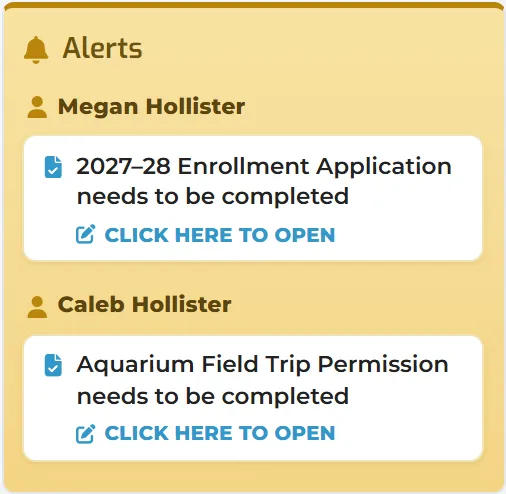
Complete school forms, acknowledge items requiring a signature, schedule conferences, and manage pickup information where your school allows it.
See
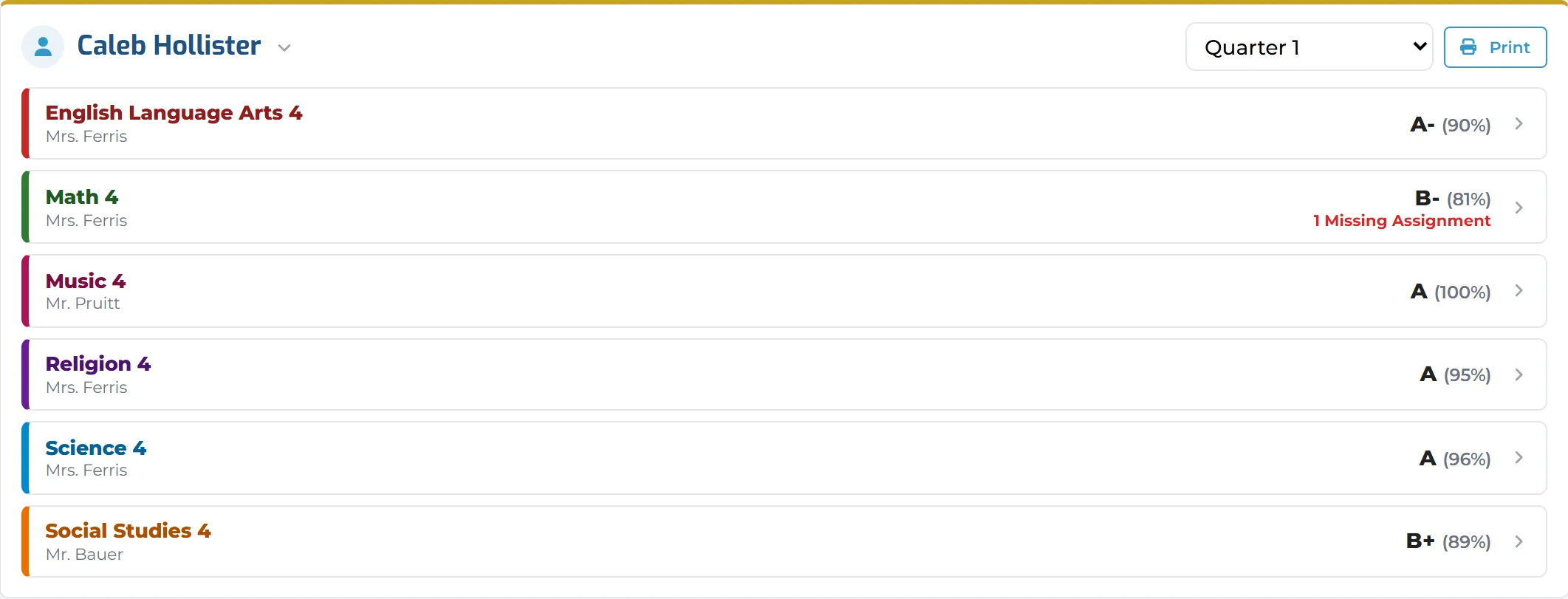
Review each child’s schoolwork, grades or standards progress where shared, attendance, calendar events and library activity.
Pay
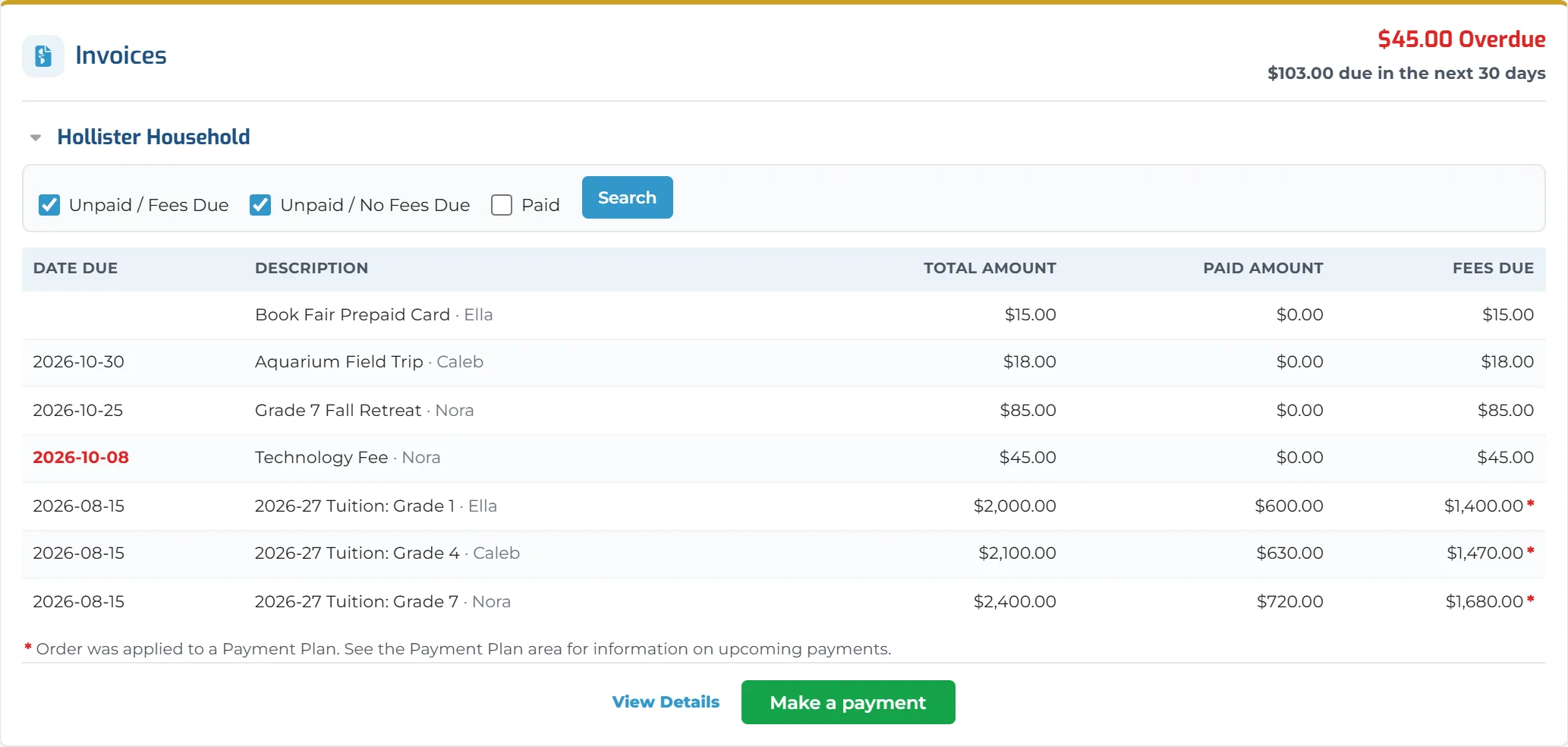
See overdue and upcoming charges, make payments, add cafeteria funds and review payment plans.
Read
Newsletters where families already look.
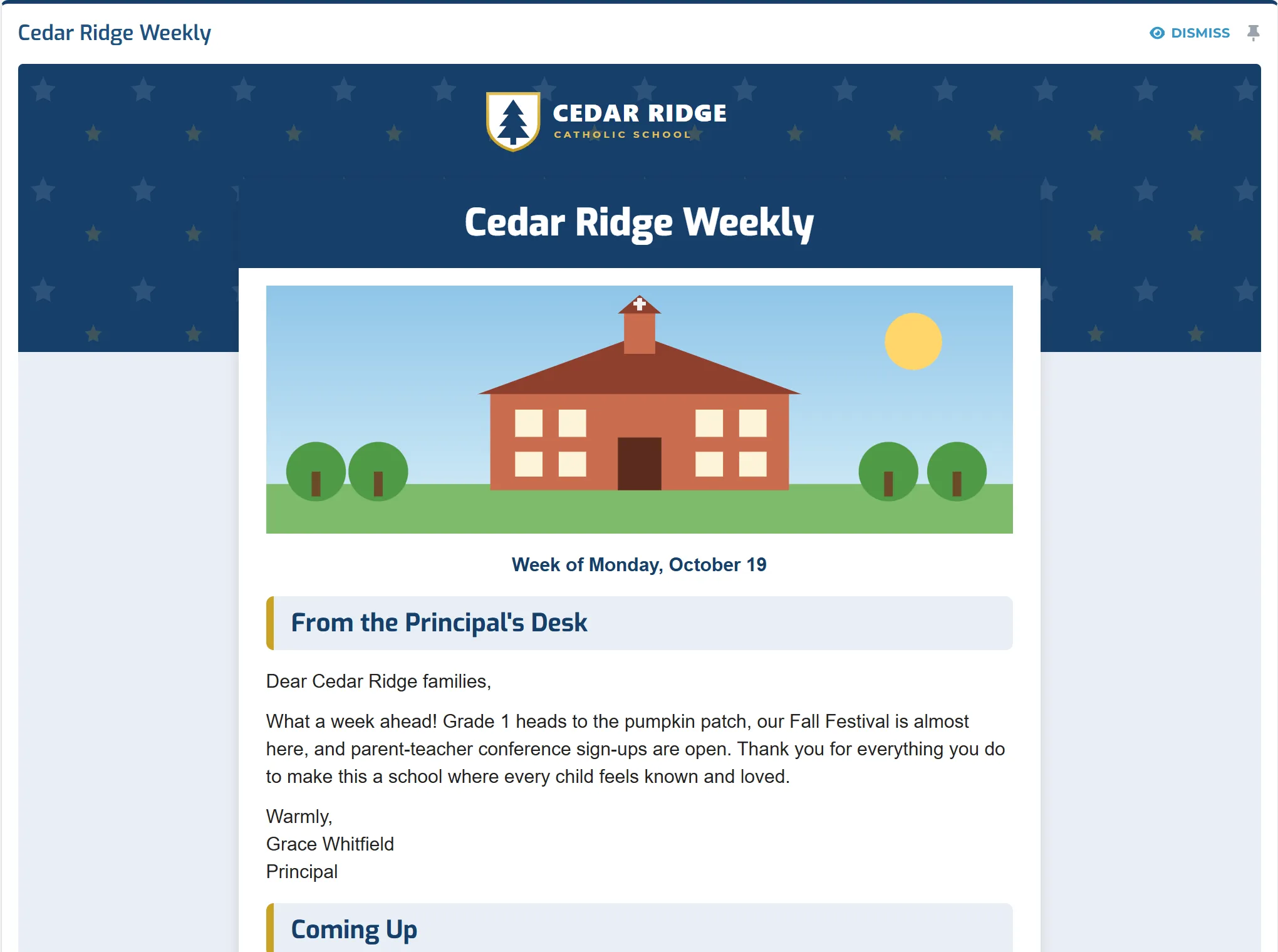
The newsletters your school builds in Digital Academy appear whole in the parent’s feed, beside class updates from each child’s teachers. The same newsletter can also go out by email.
- School and class news in one feed
- Pin a post to keep it at the top, or dismiss it once read
- Teacher comments on each child’s work, acknowledged by the parent
Do and Pay
Forms and payments that are easier to manage.
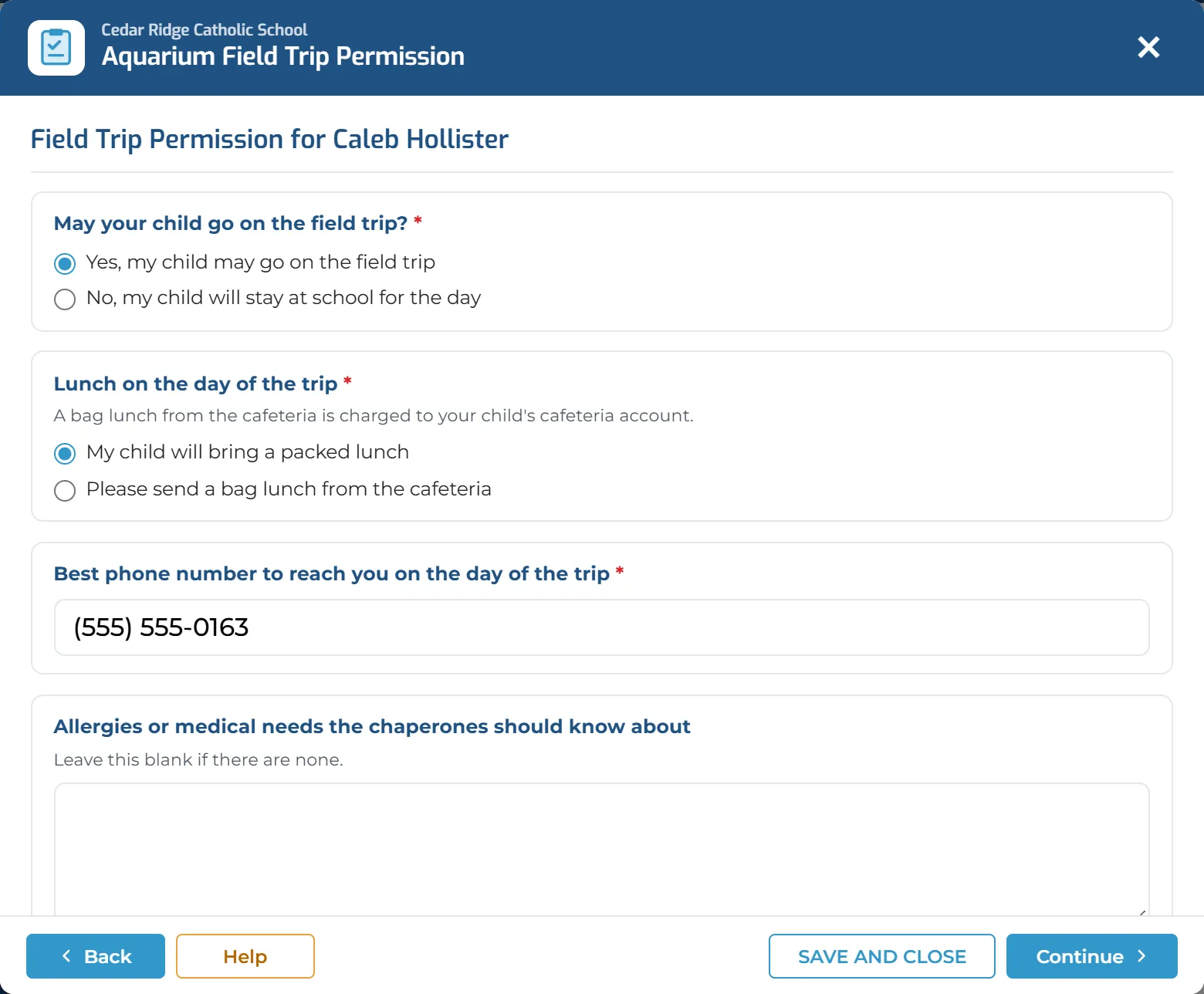
An outstanding form waits in Alerts until it is complete. One click opens it: the parent answers the questions, signs and sends it, and keeps a receipt. Fees, balances and payment options are a tab away.
- Required questions marked, with signatures, status and receipts, depending on how the form is set up
- Pay by card or bank account
- Cafeteria funds and payment plans, depending on your school’s setup
A Better Experience for Families. A Smoother Day for Your School.
When families have one place to read, do, see and pay, your office spends less time chasing.
Fewer forms left unfinished
Outstanding forms stay visible in Alerts until they are complete.
Payments easier to manage
Families can review balances and start payments themselves.
More informed families
Teachers’ comments, news and upcoming events are easier to find.
One family view
Information for several children is organized in the same account.
Works Better Together
The Family Experience shows families what the rest of Digital Academy already knows.
- Unified MessengerWhere families see messages and news.
- Enrollment ManagerFamilies can see and complete school forms in their dashboard.
- Teaching & LearningParents follow grades, assignments and teacher comments, as the school allows.
- Finance ManagerFamilies can view balances and make payments from one place.
See the Family Experience in Action.
Explore the parent’s perspective, or talk with our team about how Digital Academy can connect your school’s systems.