
Student Support Plans
Turn IEPs into everyday instruction.
Every plan, every minute and every step of progress, in one place, so your team knows who is falling behind this week.
Student Support keeps IEPs, 504 plans and intervention plans together with the service minutes, accommodations and progress to show for them.
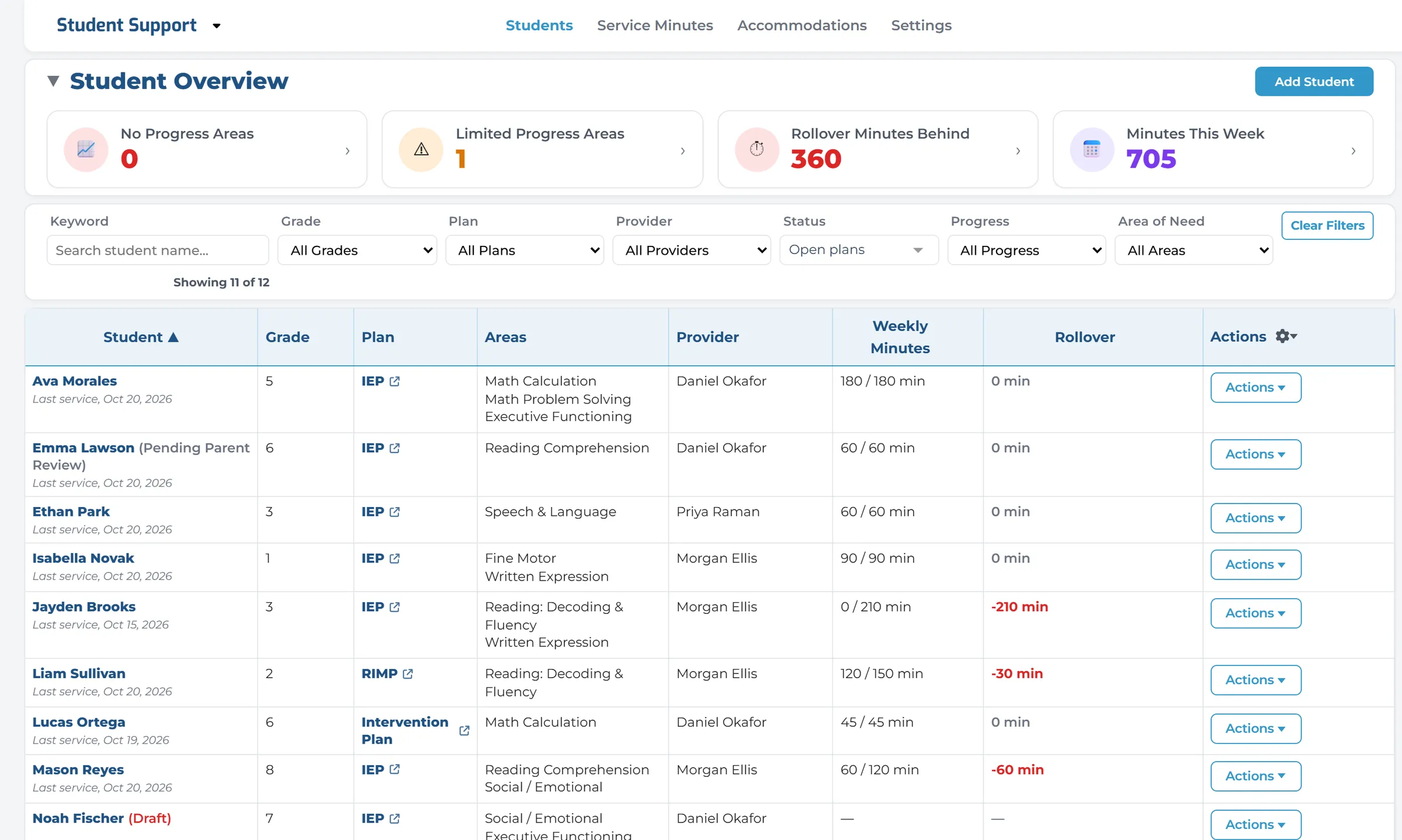
See who is behind, this week.
One screen lists every student with a plan and this week’s minutes against what the plan requires. When a student falls behind, it shows in red.
Every minute counted.
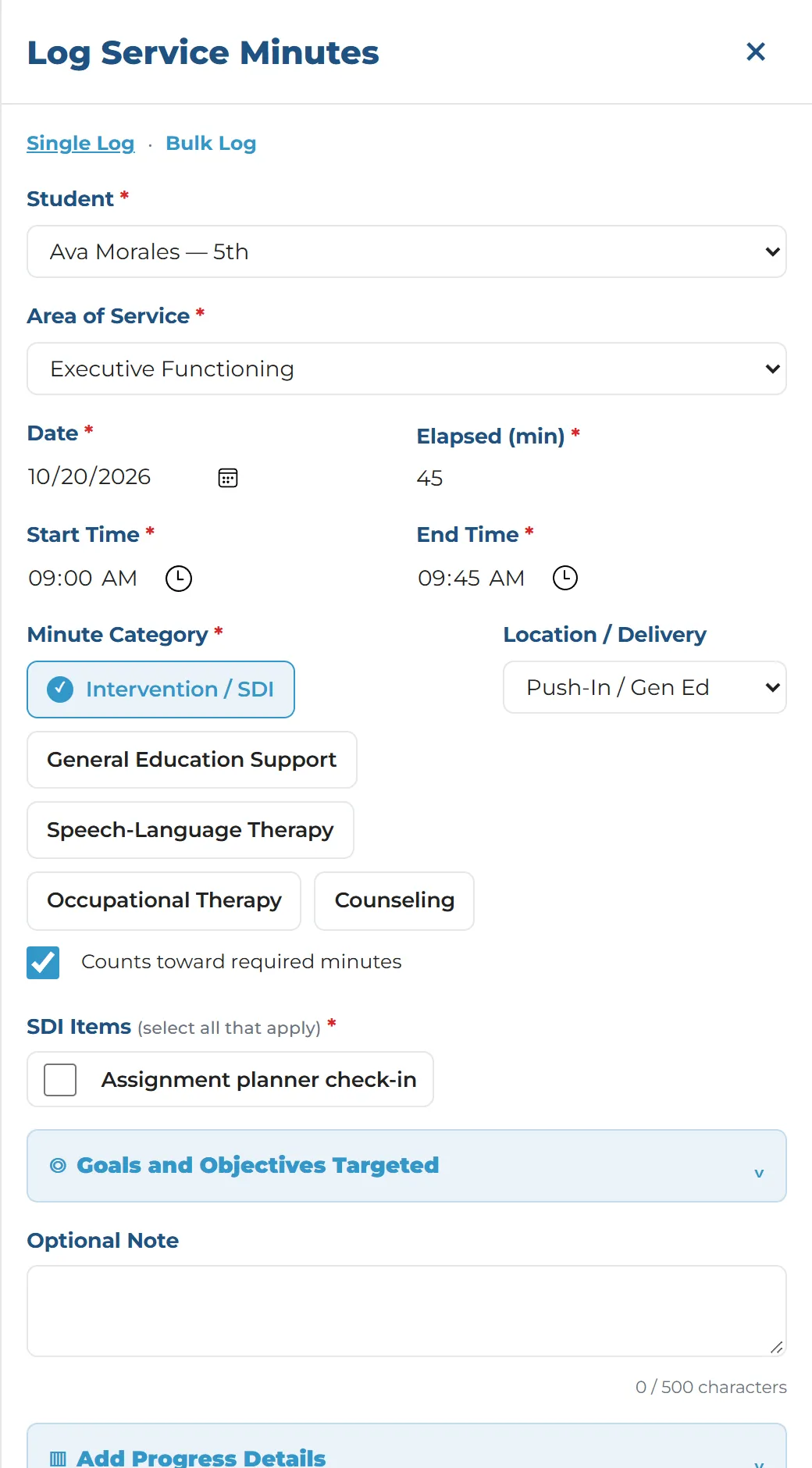
Log a session from any screen, on a laptop or a phone. Time a group session and it is logged for every student in it.
Build the plan from the IEP.
Upload the IEP and AI proposes the goals, objectives and specially designed instruction. A person decides what goes in the plan.
Teachers know what to do in class.
Teachers on the student’s team get a one-page snapshot: the accommodations, what to do in class and recent progress.
A connected workflow for student support.
Move from the IEP to classroom support with a clear, trackable process.
- Upload the IEPPersonal details removed
![An uploaded IEP with the student’s name, date of birth, parent, address and phone replaced by labels such as [STUDENT].](/_astro/cleaned-iep.C-dB06Ru_Z1I3xPV.webp)
Cleaned IEP Text
Names, dates of birth, addresses and phone numbers are removed, and a person reads the cleaned text before anything is sent.
- Review ProposalsGoals and instruction
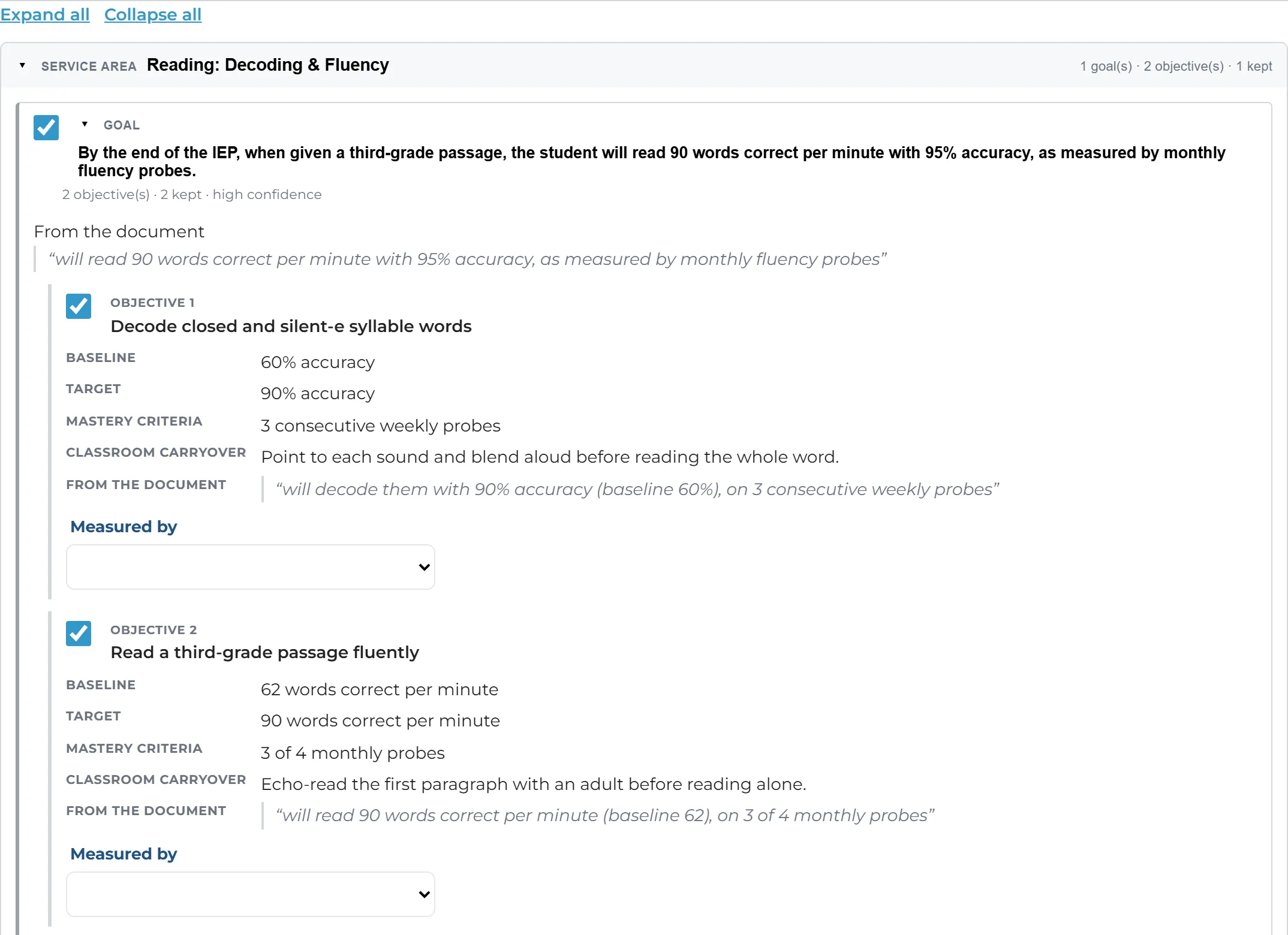
AI Proposals, With Sources
Each proposed goal, objective and piece of instruction shows the sentence it came from, so you can check it against the IEP.
- Share the PlanWith the whole team
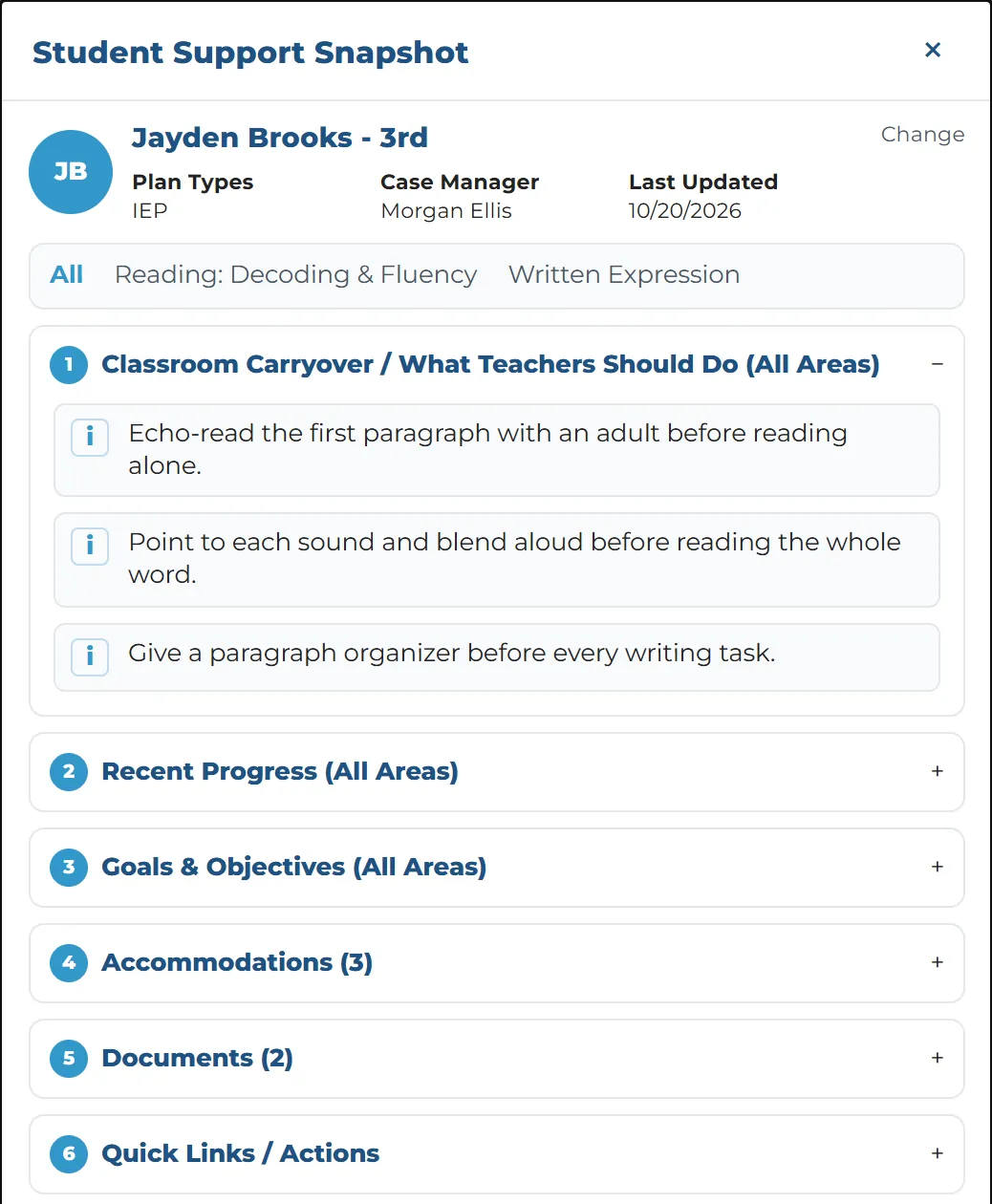
Teacher Snapshot
Teachers on the student’s team get a one-page view of what to do in class, with only the documents shared with them.
- Log MinutesEvery session counted
Log Minutes Anywhere
Record the location, the type of minutes and the goals worked on, from a laptop or a phone.
- Track ProgressGoals over time
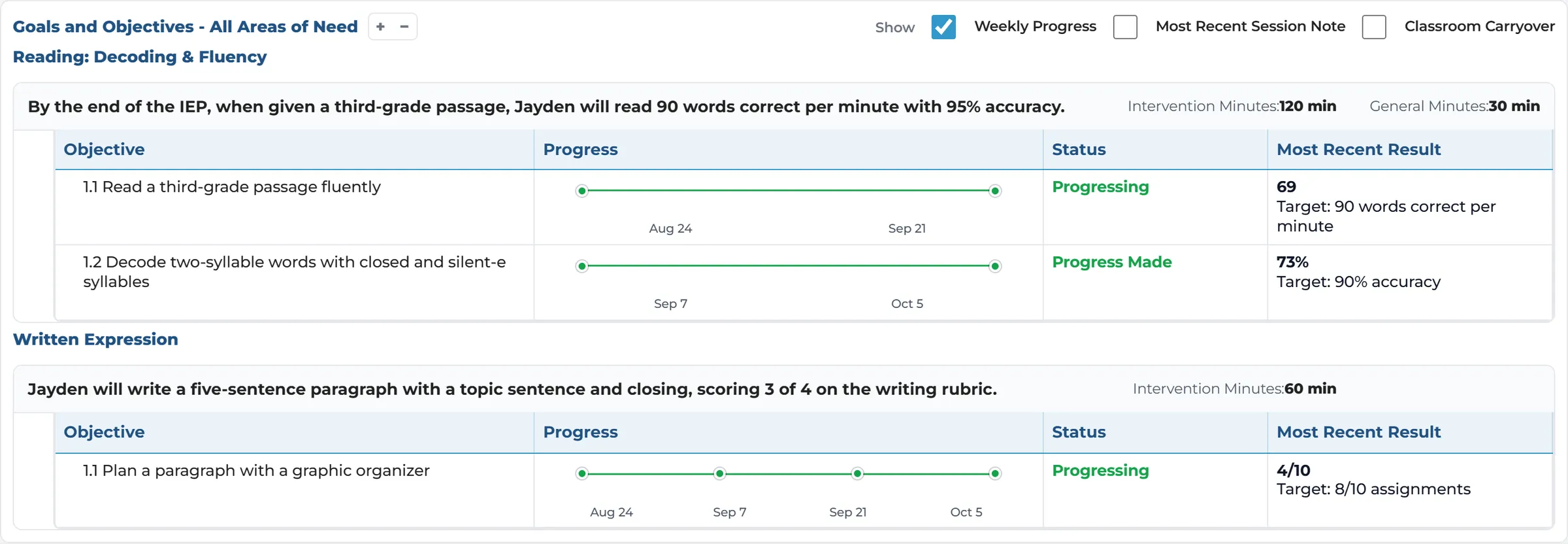
Goals & Progress
Every objective carries a baseline, a target and every progress check, from “Regression” to “Mastered”.
Key Capabilities
Everything you need to manage student support plans, in one place.
Student List & Caseload
Every student with a plan, their areas of need and this week’s minutes, with counts that point to who needs attention.
Service Minute Logging
Log Minutes and Timer tabs on every screen. Time one session for several students and log it for each.
AI-Assisted IEP Setup
Start a plan from an IEP PDF. AI proposes; a person reviews every step and saves.
Teacher Snapshot
A one-page view for teachers on the team: accommodations, what to do in class and recent progress.
Goals & Progress Monitoring
Objectives with a baseline, a target and every progress check, and a week-by-week minutes chart.
Accommodations & SDI Libraries
Your own libraries of accommodations and specially designed instruction, at state, district or school level.
Plan Types with Their Own Rules
IEPs, 504 plans, intervention plans and state plans such as Ohio’s RIMP, each with its own rules.
Team & Documents
A support team for each plan, and documents with a choice of who can see each one.
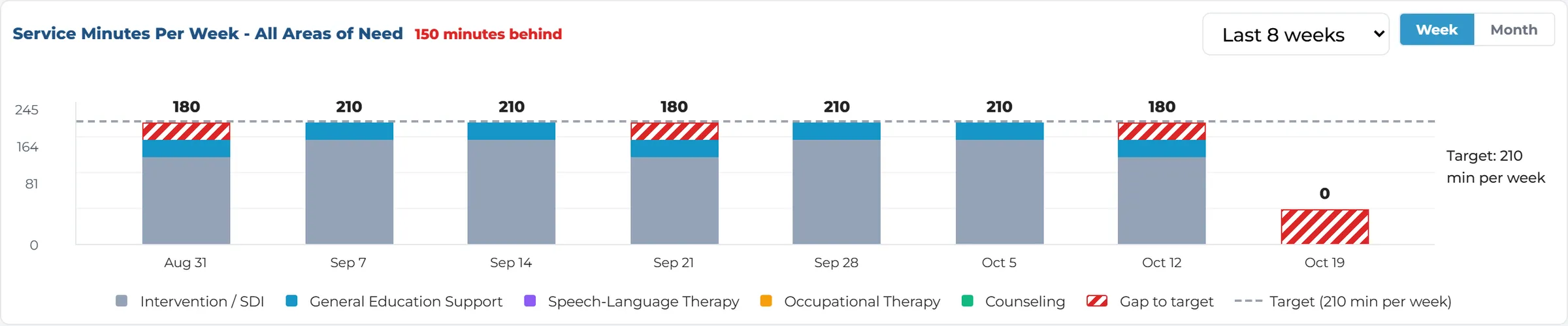
Every minute counted
Minutes that balance themselves.
Every session logged counts toward the plan. Each plan’s minutes balance by the week, the month, the reporting period or the whole plan, as the plan says, and the chart marks any shortfall.
- This week’s minutes against the requirement, for every student and area of need
- Weeks against the target, with the gap marked
- Log every contact with the family: date, method, note and who logged it
AI proposes. Your team decides.
A strong starting point, with your team in control.
AI reads the IEP and proposes the goals, objectives and specially designed instruction. A person decides what goes in the plan.
- Names, dates of birth, addresses, phone numbers and other personal details are removed before anything is sent, and a person reads the cleaned text first
- Each proposal shows the sentence it came from, so you can check it against the IEP
- Instruction is matched to your district’s own library, and the screen shows how close each match is
- Nothing is saved until a person chooses it and saves
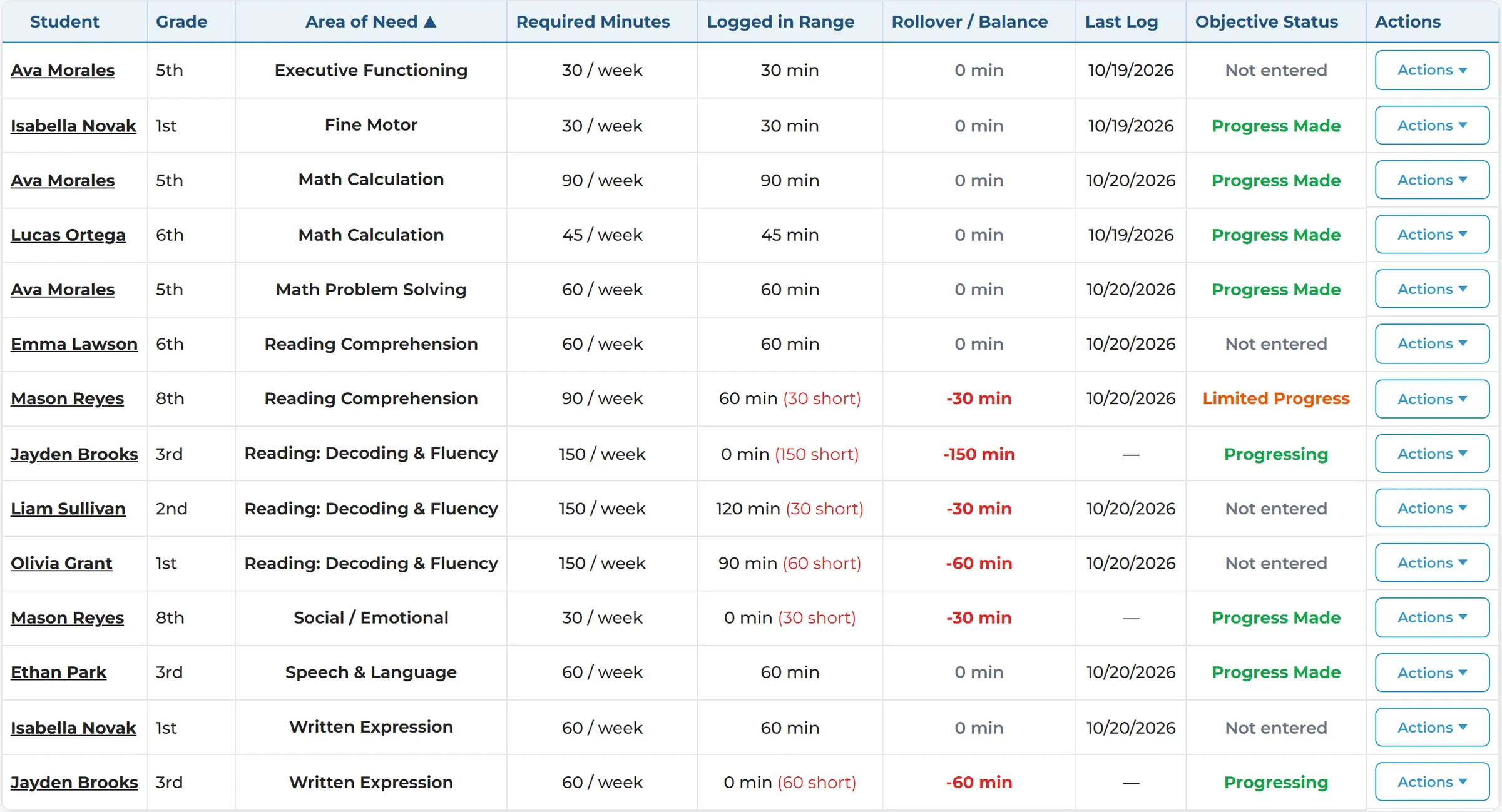
The whole caseload
Service minutes for every student.
Minutes required against minutes logged, for every student and area of need. Filter by provider, area of need or dates.
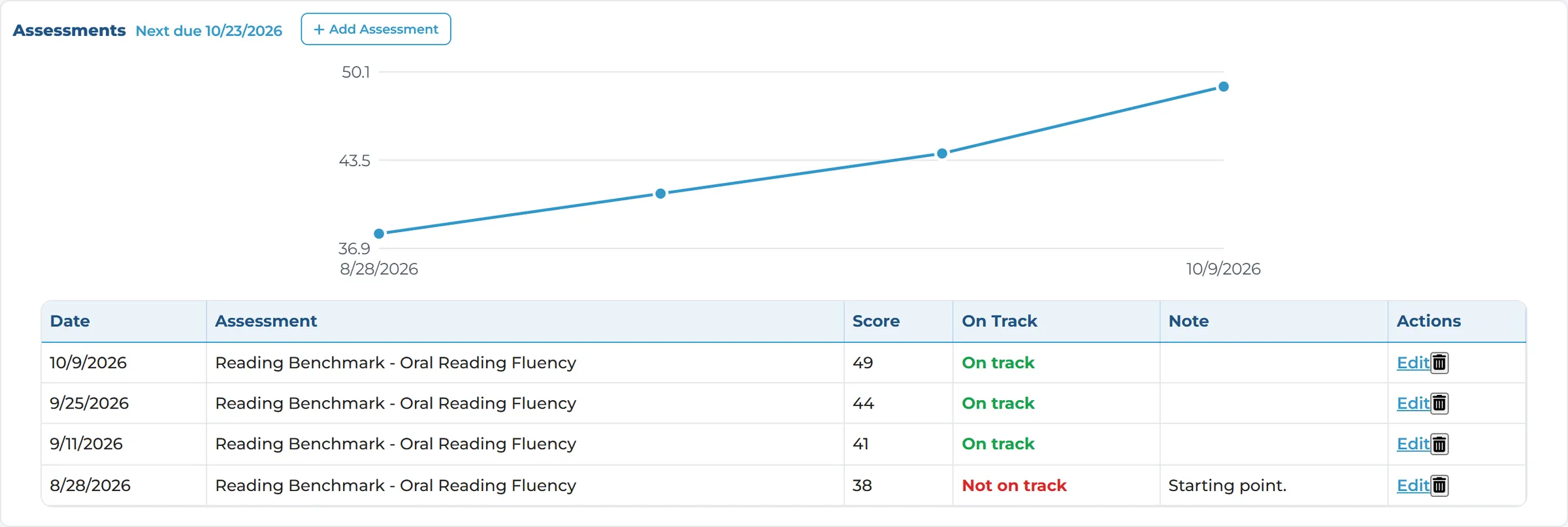
Your plans, your rules
Plans that follow their own rules.
Set up IEPs, 504 plans, intervention plans and state plans such as Ohio’s RIMP. A RIMP has no goals, a fixed reading block of minutes and an assessment every two weeks, with the next one due shown on the student’s page.
Built for the whole support team.
Different roles. One view of every plan.
Administrators
- See every plan and its status at a glance
- Know who is falling behind this week
- Set up plan types and libraries once for every school
Intervention & Support Staff
- Build plans from the IEP with AI proposals
- See your whole caseload
- Log minutes quickly, for one student or a group
Classroom Teachers
- See what to do for each student in class
- Record the accommodations you provided each week
- See recent progress and shared documents
Related Service Providers
- Log your own sessions against the plan
- Record the goals worked on
- Speech, occupational therapy, counseling and more
Ready to See Student Support in Action?
See how Digital Academy helps your team keep every plan, every minute and every step of progress in one place.