
Enrollment Manager
From first inquiry to first day.
Every family, every step, every school, in one place, so your staff know exactly who needs what next.
Enrollment Manager tracks every family through inquiry, application, decision, enrollment and first-day readiness, using the steps your school already follows.
Your process, not ours.
Build your own checklist of stages, steps, forms, fees, appointments and decisions. Change it any time without losing a family’s progress.
See every family at a glance.
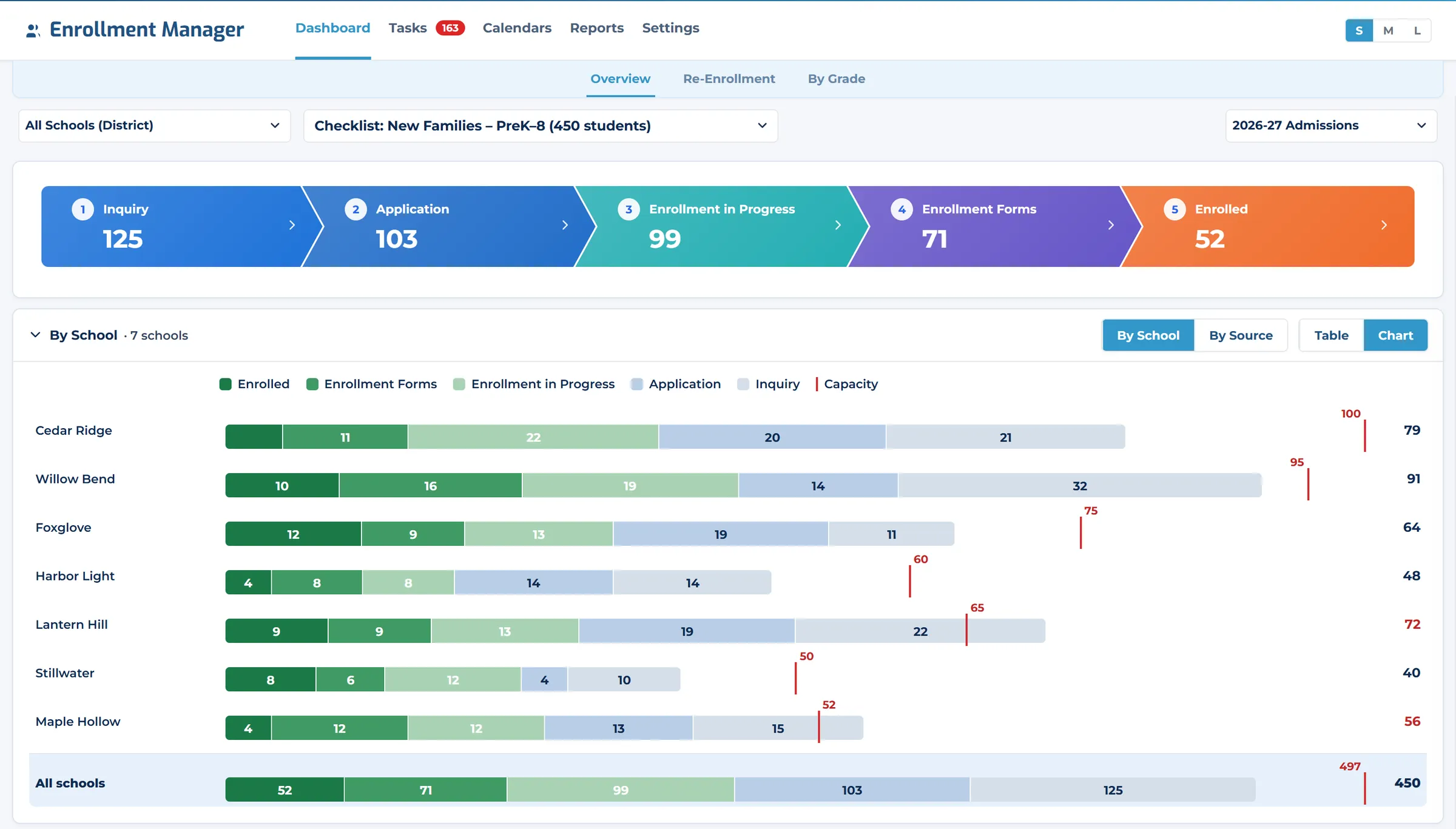
One screen shows every family by stage: what is done, what is waiting on the family and what is waiting on your staff.
Emails that say what’s next.
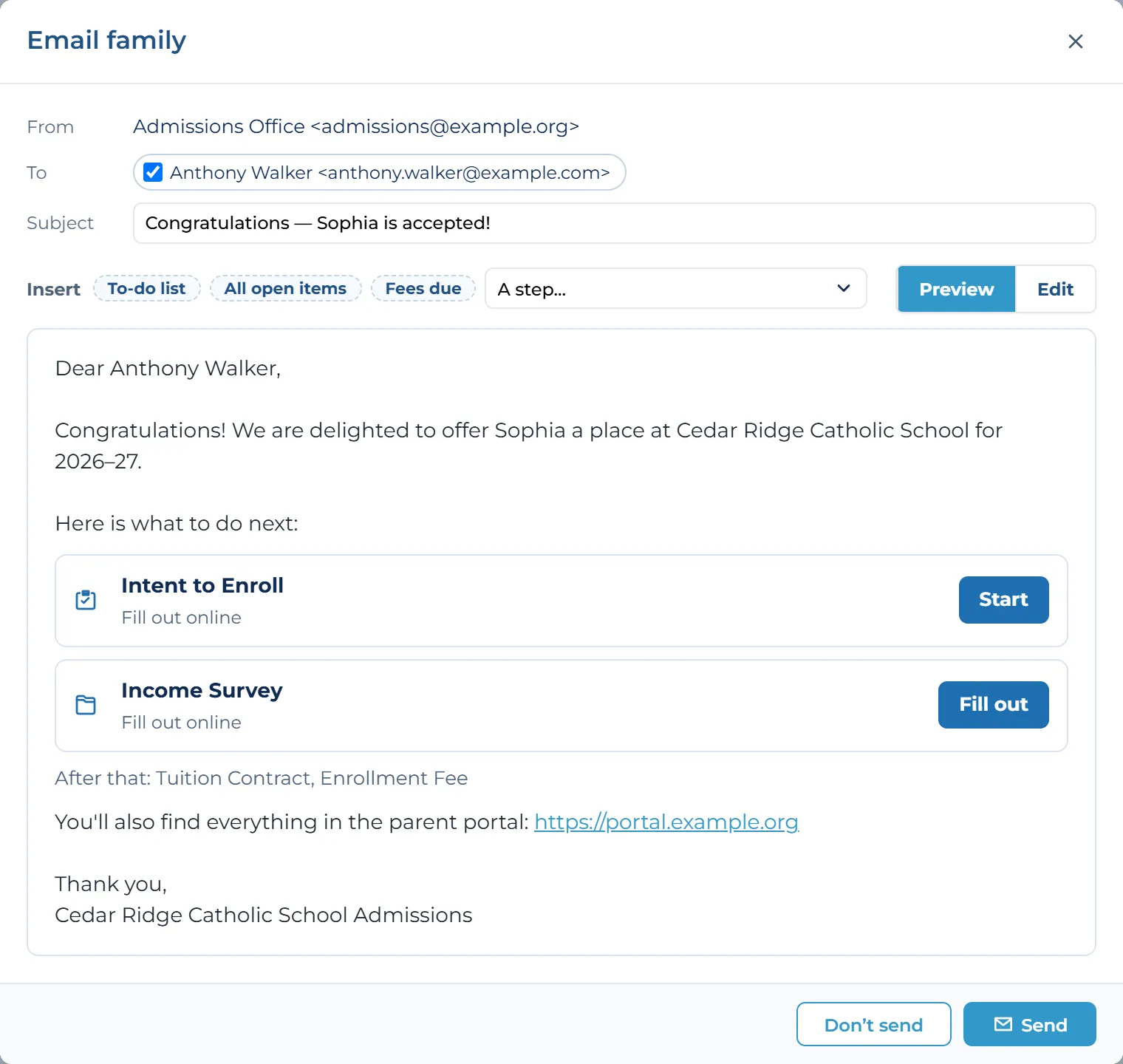
When a family reaches a new stage, they get one clear email listing their to-dos, with a button for each. Staff review it before it goes.
Built for districts.
Roll up enrollment across every school, see where new families come from, and move a student between schools in two clicks.
A Complete Enrollment Process
Move families from first inquiry to first day with a clear, trackable process.
- InquiryCapture and track new families
Capture Inquiries
New families arrive through your inquiry page and appear in the first stage, counted alongside everyone else.
- ApplicationOnline applications and documents
Manage Applications
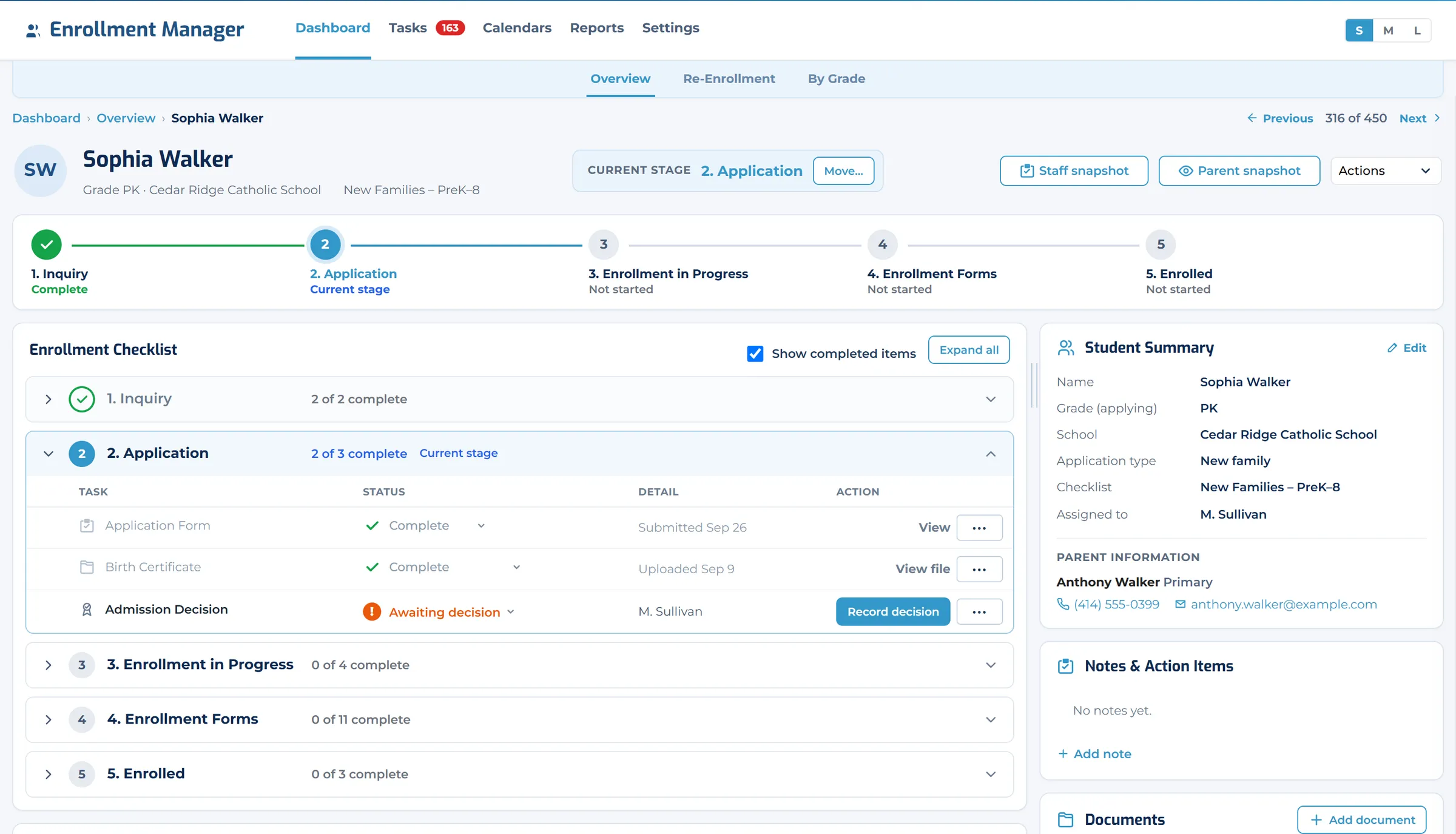
Each family’s checklist shows what is complete, what is waiting on them and what needs your staff.
- DecisionReview, accept and notify
Record the Decision
Accept a student and the family gets one clear email listing exactly what to do next.
- EnrollmentForms, fees and contracts
Forms, Fees and Contracts
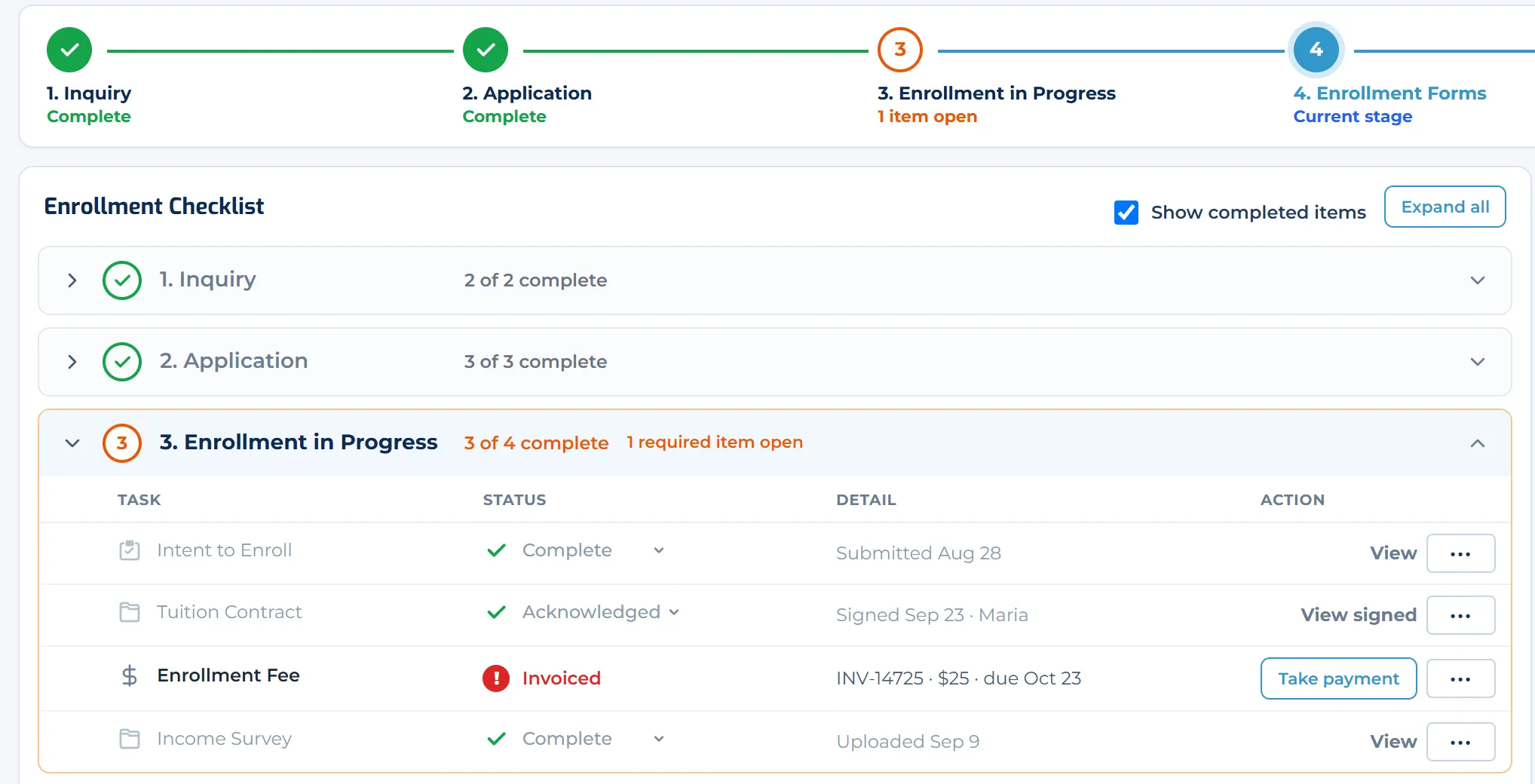
Contracts, forms and fees are steps like any other, and each child’s invoice shows its status.
- Beginning of YearSeats, readiness and first day
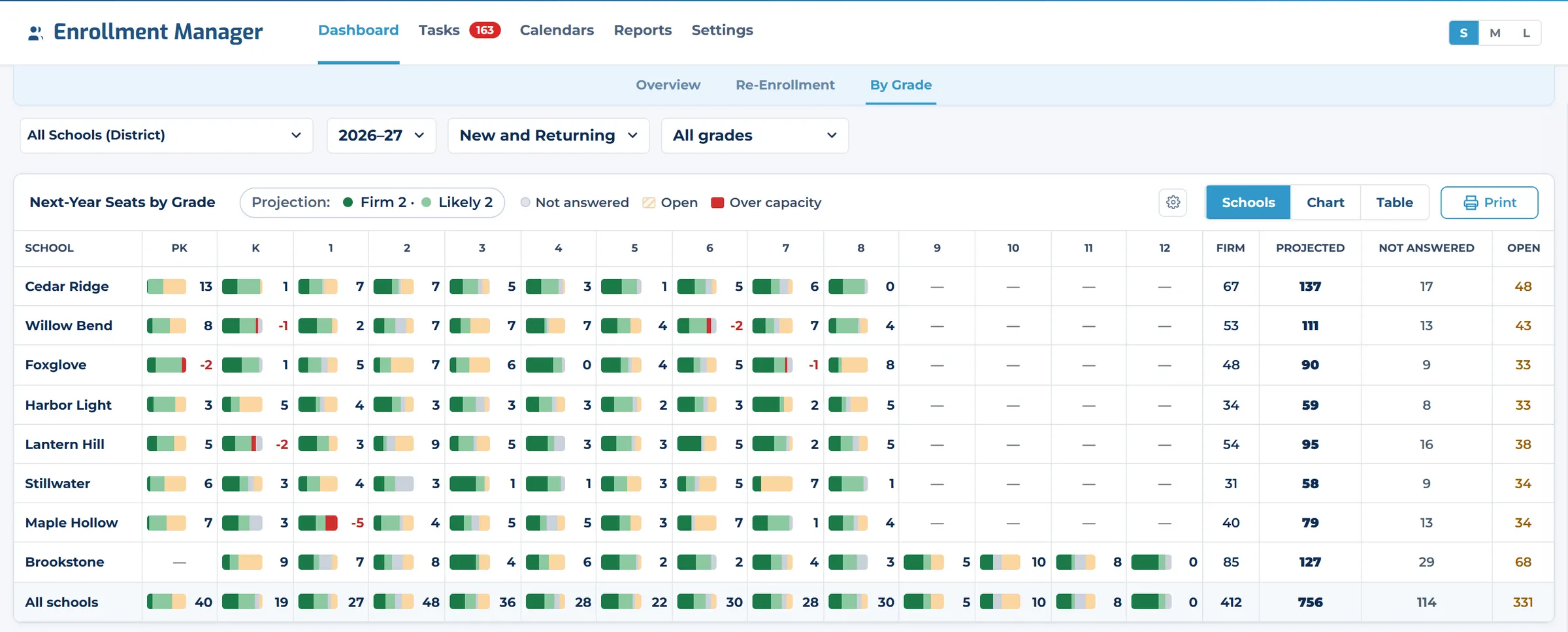
Ready for Day One
See next year’s seats by school and grade against capacity, with firm and likely commitments shown apart.
Key Capabilities
Everything you need to manage admissions, enrollment, re-enrollment and more.
Customizable Checklists
Stages, steps, forms, fees, appointments and decisions, built around how your school works.
Staff To-Do List
Assigned, unassigned and team items in one queue.
Document Review
Review uploads, record decisions and mark steps not required.
Stage Emails
Email one family or everyone missing a document. Every email is saved to the family’s history.
Fees & Invoices
One invoice per child, created automatically or by staff, with payment status from Finance.
Re-enrollment
Track returning families alongside new ones.
Enrollment Reporting
Enrollment by school, by source and by grade, with next year’s seats against capacity.
District Roll-Up
Every school in one view, and move a student between schools in two clicks.
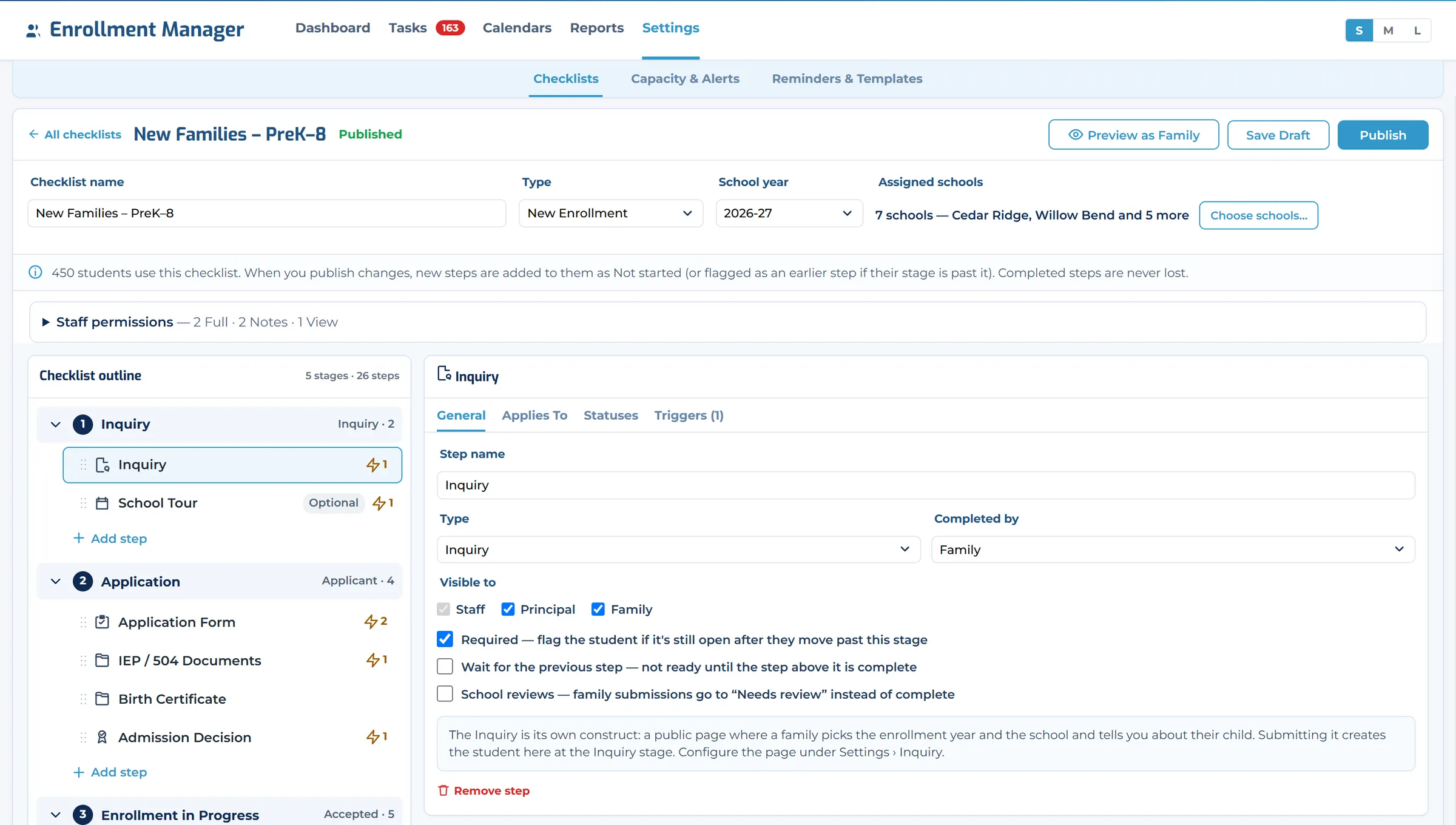
Set up
Your checklist, built your way.
A visual builder lays out your stages and steps. Drag a step between stages, choose who completes it and who can see it, then publish. Families already in progress keep everything they have finished.
- Steps can be required, optional, or wait for the step before
- Reusable email templates that pull in to-dos, open items and fees due
- Staff permissions per checklist: view, notes or full access
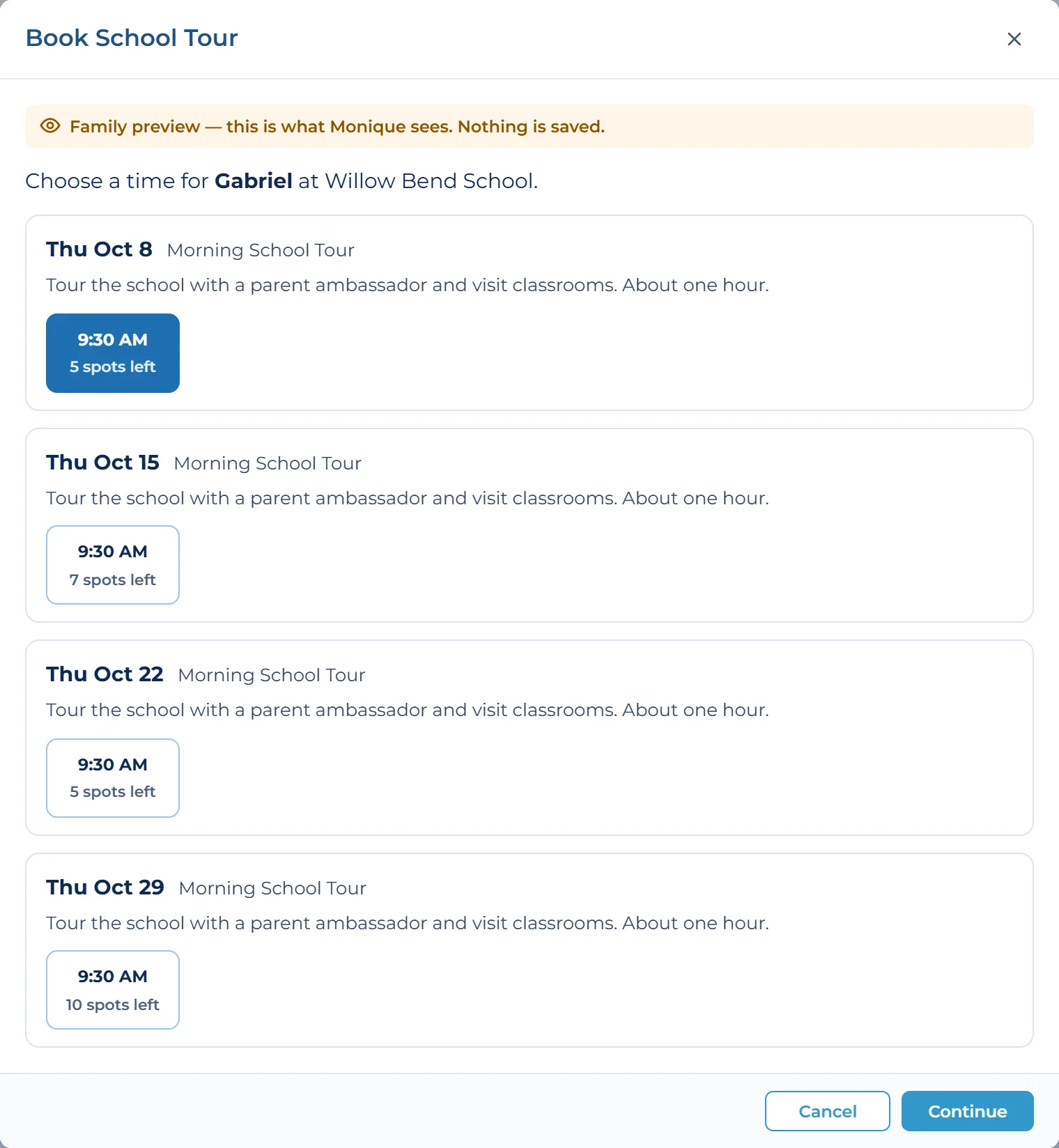
Schedule
Families book their own visits.
Calendars for tours, interviews and placement tests. Families pick a time slot themselves, staff can book for them, and you control who can book and when.
Works Better Together
Enrollment Manager is part of Digital Academy, so a family’s journey carries on into the rest of the platform.
- Finance & PaymentsInvoice and payment status come straight from Finance
- Student InformationNew students carry on into their student record
- Family ExperienceFamilies can see and complete school forms in their dashboard
- SchedulingTours, interviews and placement tests
- ReportingEnrollment across every school
See Your School’s Enrollment Process in Action
Bring your current process, forms and questions. We’ll show you how Digital Academy can support your enrollment goals.