
Communications by Digital Academy
Reach every family from one place.
One message for email, text and announcements, with a record of who received it.
One inbox, saved lists, templates and newsletters for the whole school, and a record of every message the school sends.
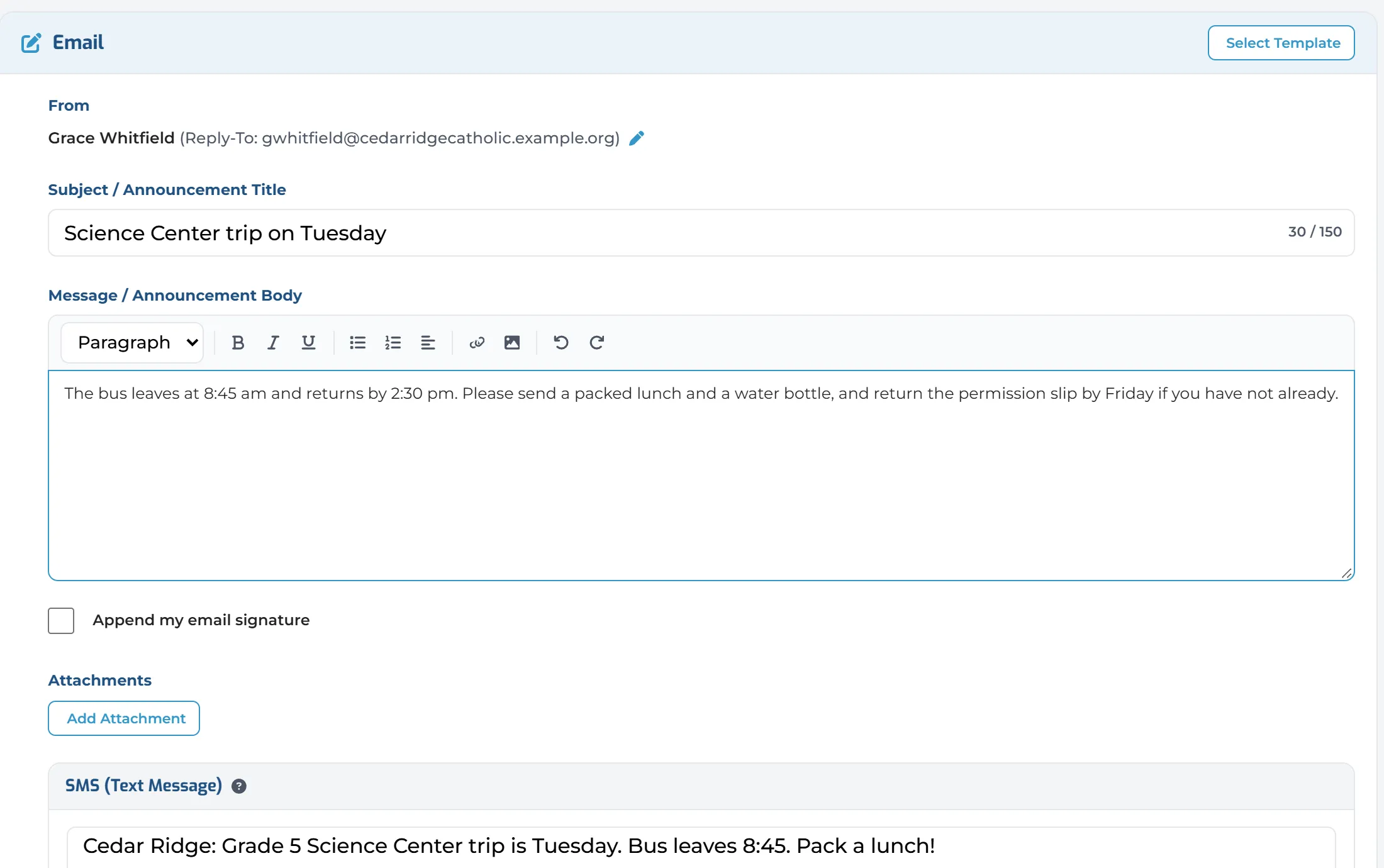
Pick exactly who it’s for.
Choose by role, by grade, or by class with its parents and teachers, or open a list you saved before.
Write once. Send everywhere.
One message goes out by email, by text message and as an announcement. Start from a template.
Know it got there.
Every message keeps its delivery results: delivered, opened and failed, for each person and each channel.
Newsletters that look like your school.
Your colours, fonts, pictures, buttons and photo galleries, previewed on desktop, phone, Gmail and Outlook.
The right message to the right people.
Unified Messenger walks you through each step, from the audience to the delivery results.
- AudienceRoles, classes, lists
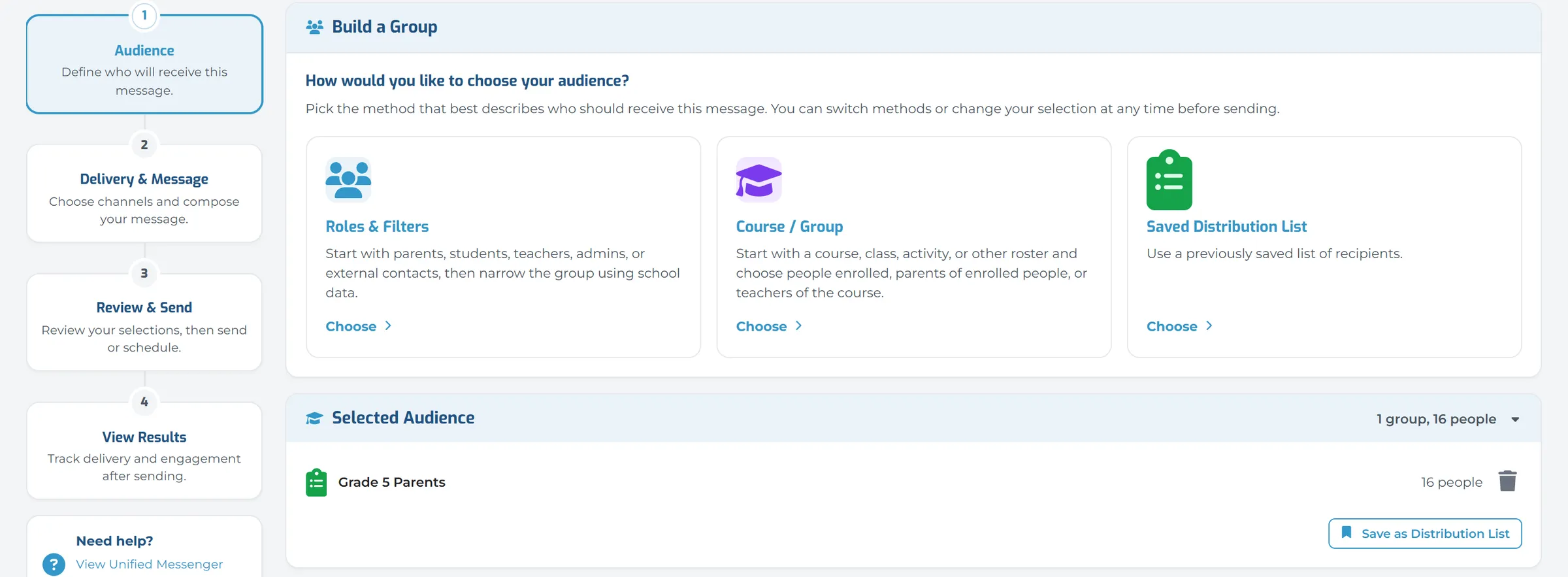
Saved Lists, Ready to Reuse
Pick roles, a grade, or a class with its parents and teachers, or a list you saved before. The full list is one click away.
- MessageWrite it once
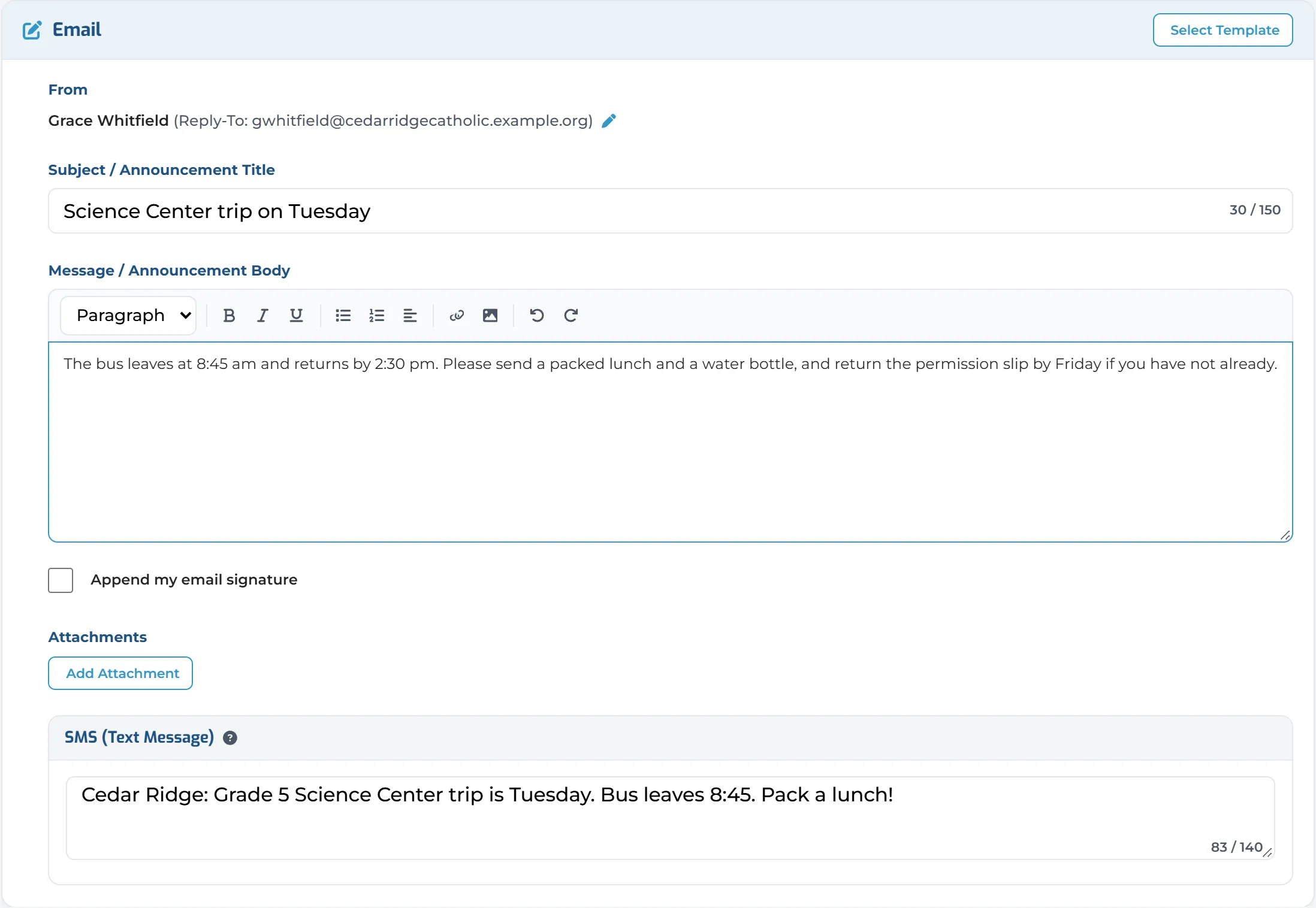
One Message, Every Channel
Choose email, text message and announcement, and write it once. Start from a school, personal or ready-made template.
- ReviewPreview and test
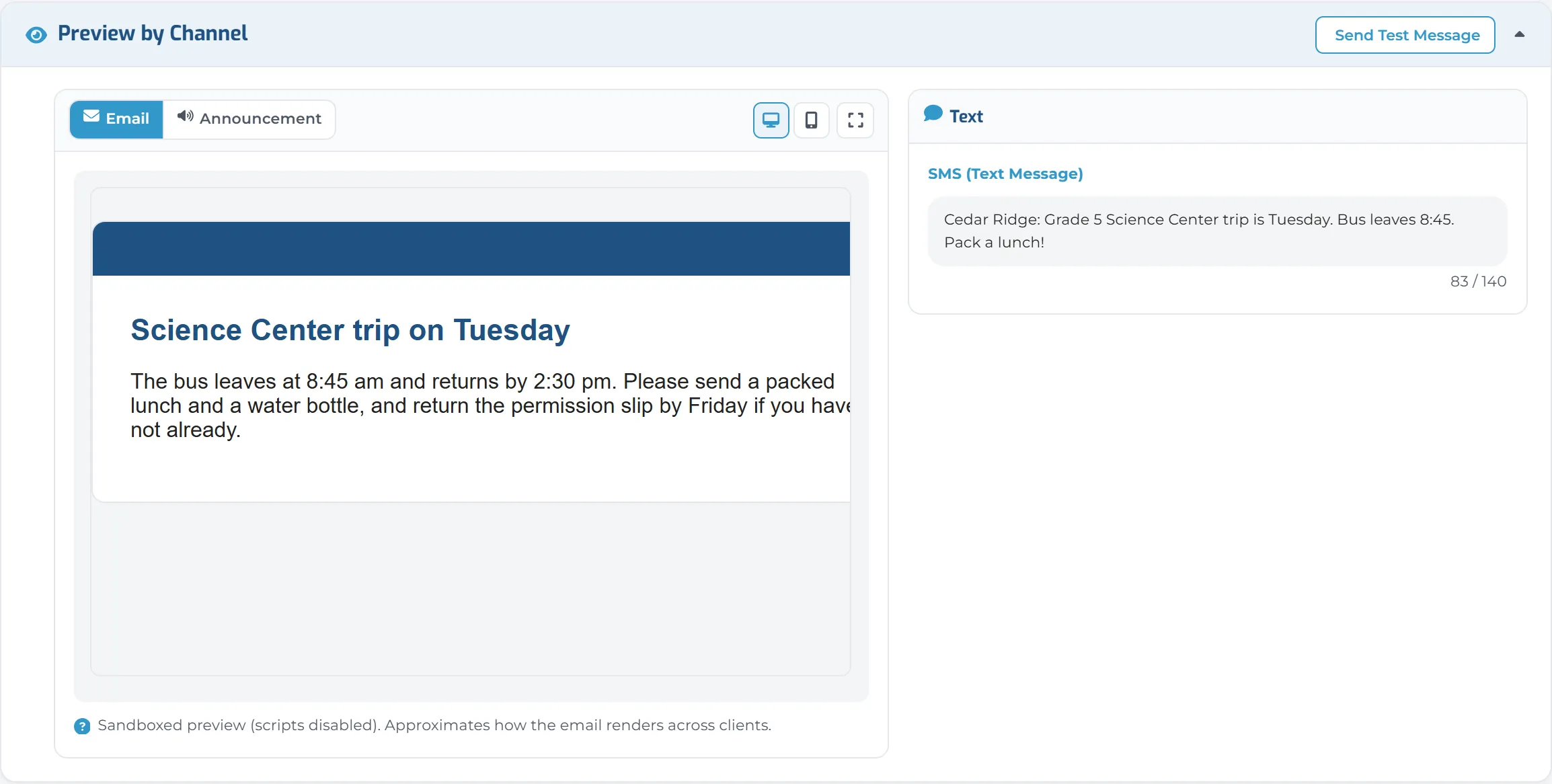
Check It Before It Goes
Preview the email on desktop and phone beside the text message, and send yourself a test.
- SendNow, or later
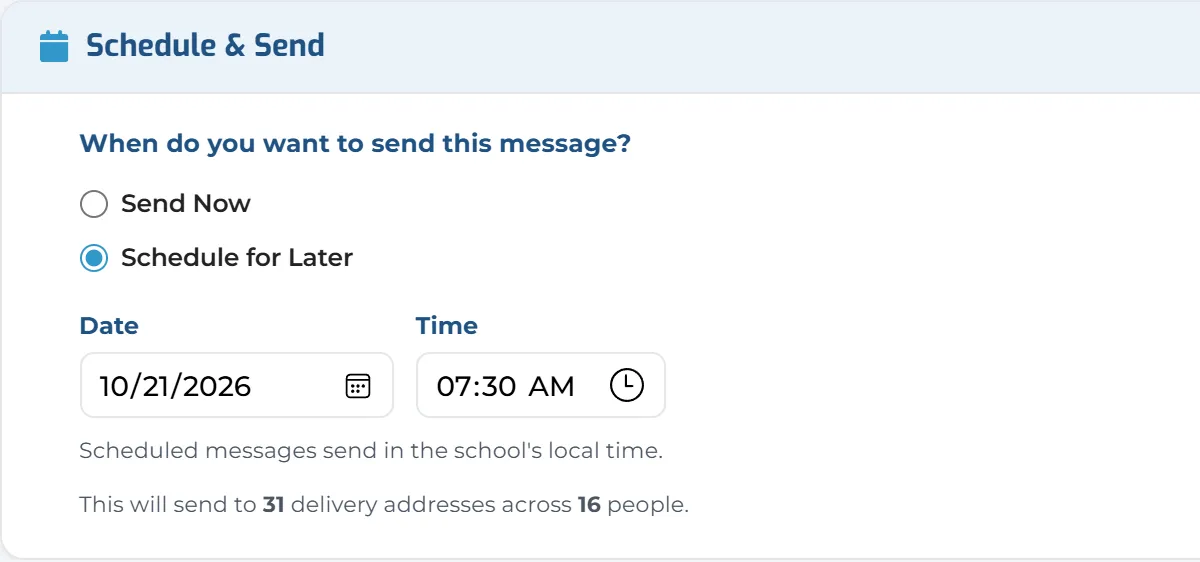
Send Now, or Schedule It
Pick a date and time and the message waits in Scheduled until then. Cancel it any time before it goes.
- ResultsSee who got it
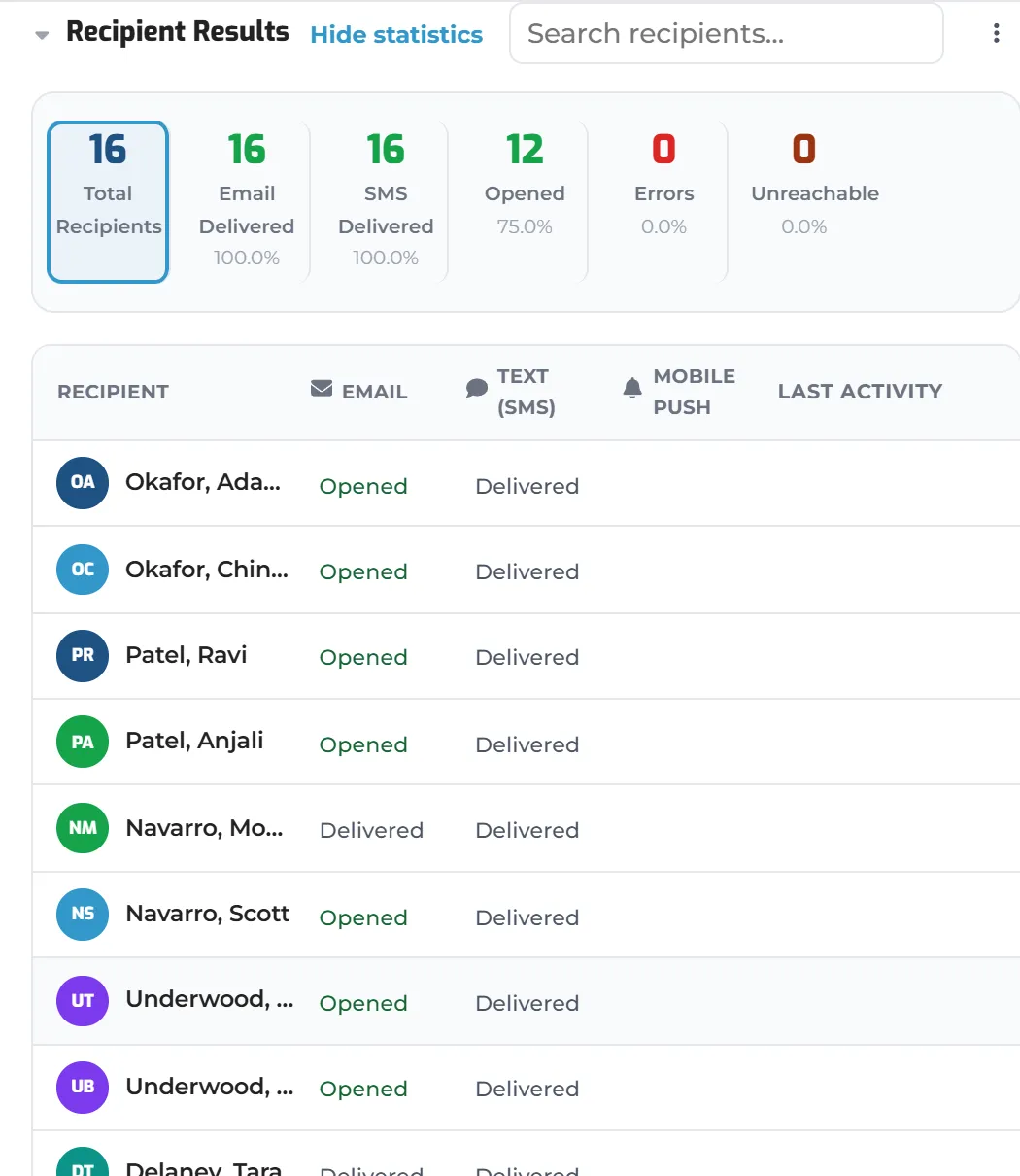
Delivery Results
Delivered, opened and failed, for each person and each channel, with totals across the top.
Key Capabilities
Everything you need to keep your school community informed and connected.
Unified Messenger
A four-step builder: audience, message, review and send. Drafts save as you work.
Audience Targeting
By role, by grade or class with parents and teachers, or a saved list. Save any audience for next time.
My Messages
One inbox for messages from families and staff, with Sent, Drafts, Scheduled and Trash.
Delivery Results
Delivered, opened and failed on every sent message, for each person and each channel.
Newsletter Designer
Designed and text templates with your colours, fonts, pictures and photo galleries.
Schedule & Drafts
Send now, or schedule for a date and time and cancel any time before it goes.
Clean Contacts
Bounced emails, unconfirmed addresses and families with no phone, found and fixed before the next message.
Message Log
Every message the school sent, by sender or by person, with its recipients one click away.
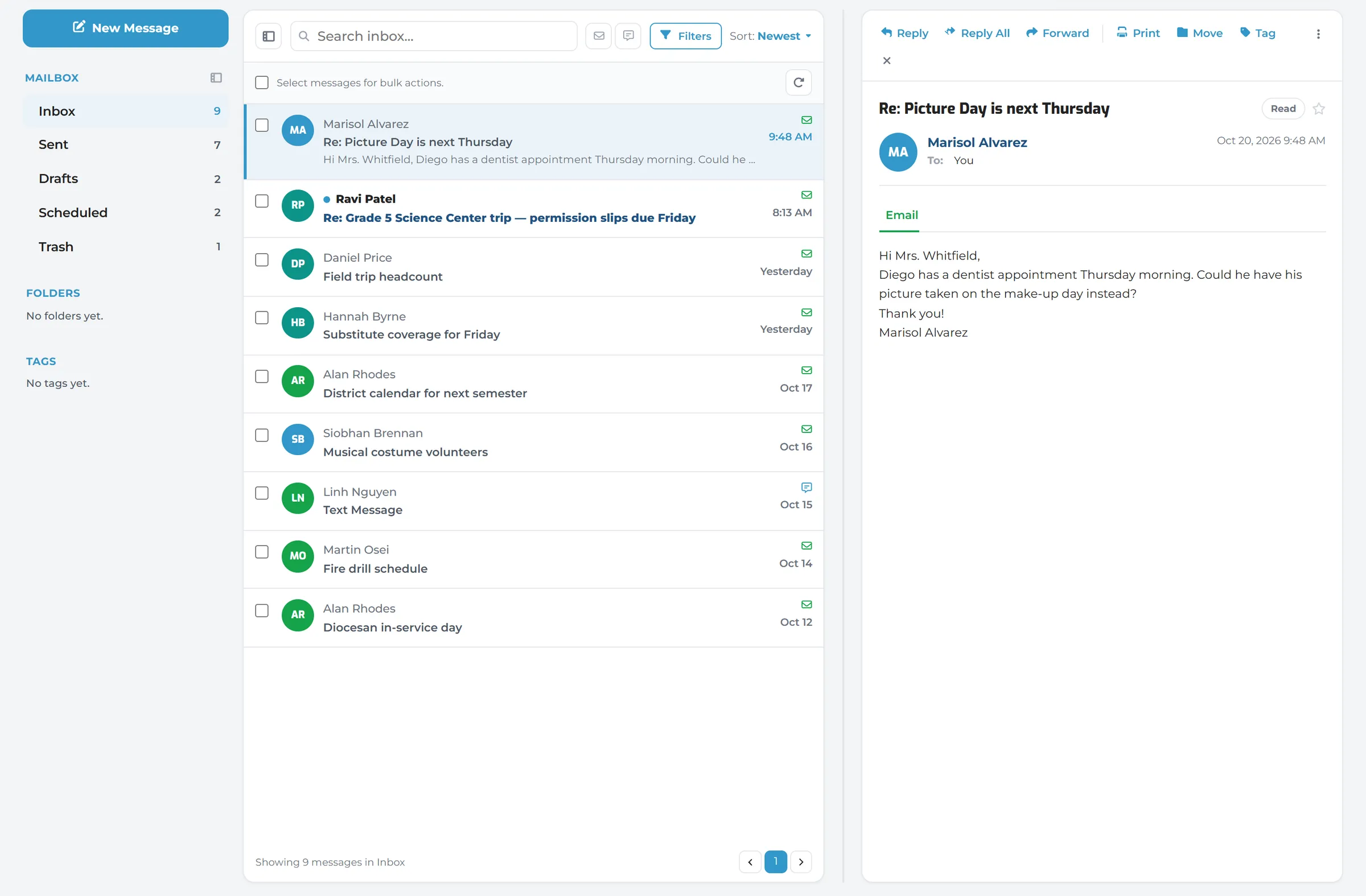
My Messages
One place for every message.
My Messages holds what families and staff send you, and everything you have sent, drafted and scheduled.
- Reply, reply all and forward
- Search, filter by channel and sort
- A quick message to individuals, a class, a grade or the whole school, without leaving the inbox
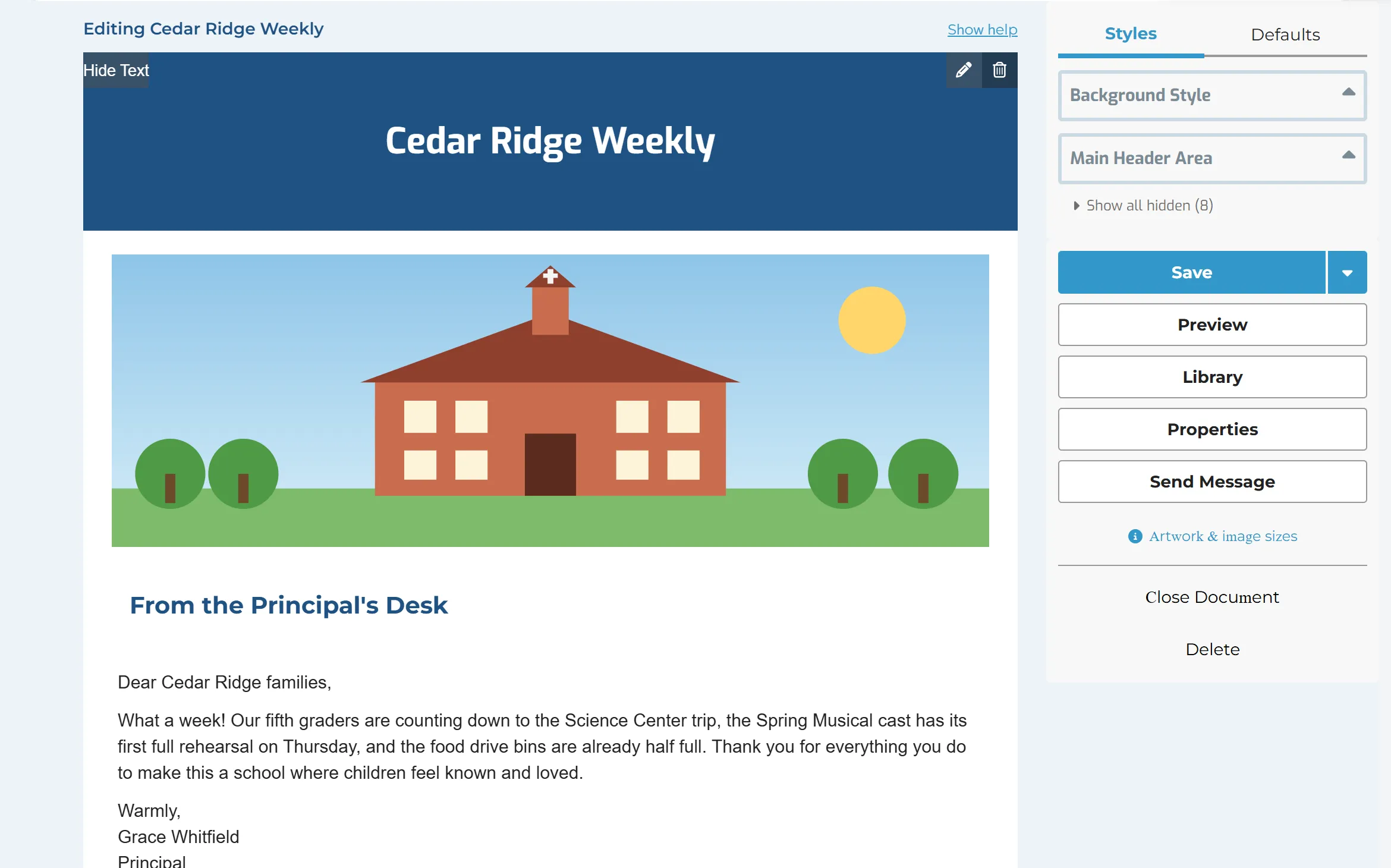
Newsletter
A newsletter that looks like your school.
Design a newsletter with your colours, fonts, pictures, buttons and photo galleries, then choose it as the message in Unified Messenger and send it to the same families.
- A header, text with pictures beside it, buttons, dividers, galleries and two-column sections
- Styles for the whole newsletter or one block
- Preview as desktop, phone, Gmail and Outlook
- Share templates with named colleagues
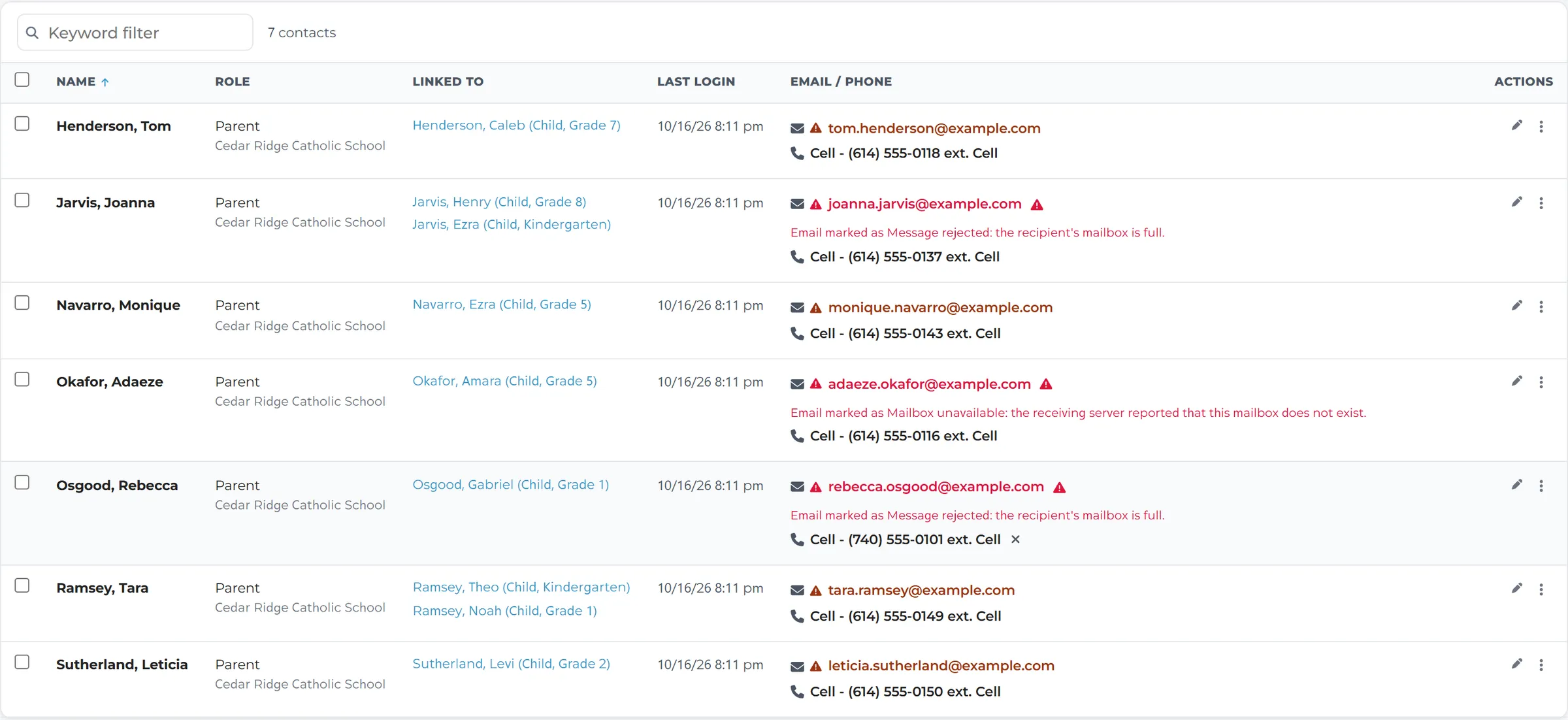
Contacts
Keep every address working.
Contacts finds the problems before a message goes out: an email that bounced, an address no one confirmed, a family with no phone.
- Filter by role, grade or person, and search by address or number
- Fix, add or remove an address or number in the list
- Resend a verification email, or clear an error after reading why the last message failed
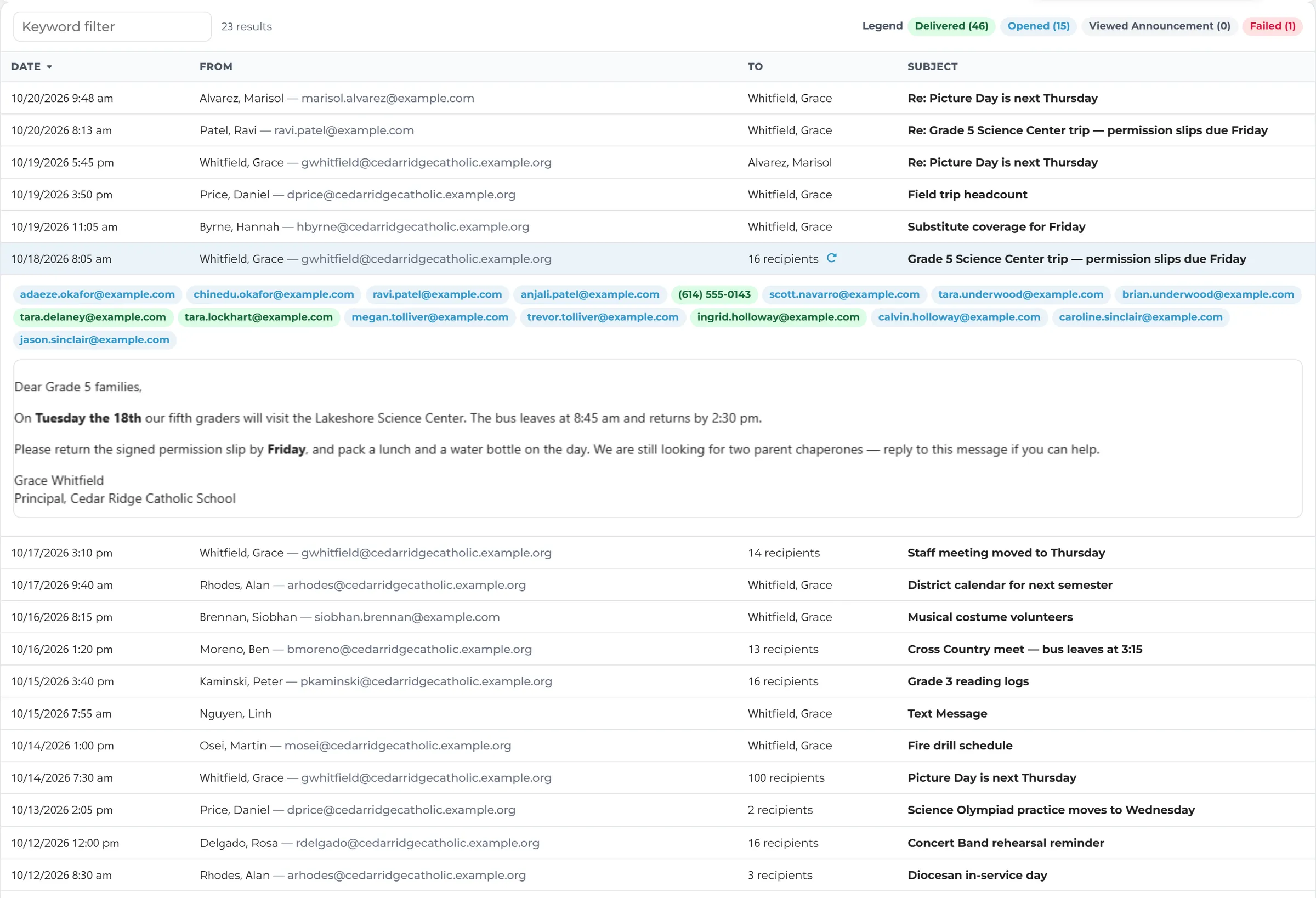
Message Log
Every message, on the record.
The Message Log lists everything the school sent, by sender or by person, with the message itself one click away. When a parent says they never got it, you can check.
- Successful, failed and blocked messages
- Daily and weekly summaries and password-reset emails too
- Date ranges from today to all time
Built for everyone who talks to families.
Different roles. One place for every message.
Principals & Heads of School
- Reach every family quickly
- Know the message arrived
- Newsletters that look like your school
Office Managers & Front Office
- Saved lists and templates
- Clean contact details
- Answer “I never got it” from the Message Log
Teachers
- Message your own class’s families
- Pick the right parents fast
- Replies in one inbox
District & Diocesan Staff
- Consistent templates for every school
- Settings for who may contact whom
- Outside mail to students limited to approved senders
Works Better Together
Unified Messenger is part of Digital Academy, so what you send reaches families where they already look.
See Unified Messenger in Action
See how Digital Academy helps your school reach every family from one place, and know it got there.